Preserve Repeated Query Parameters When Editing a URL
Distinguish repeated keys, empty values, and encoded separators when inspecting or rebuilding query strings.
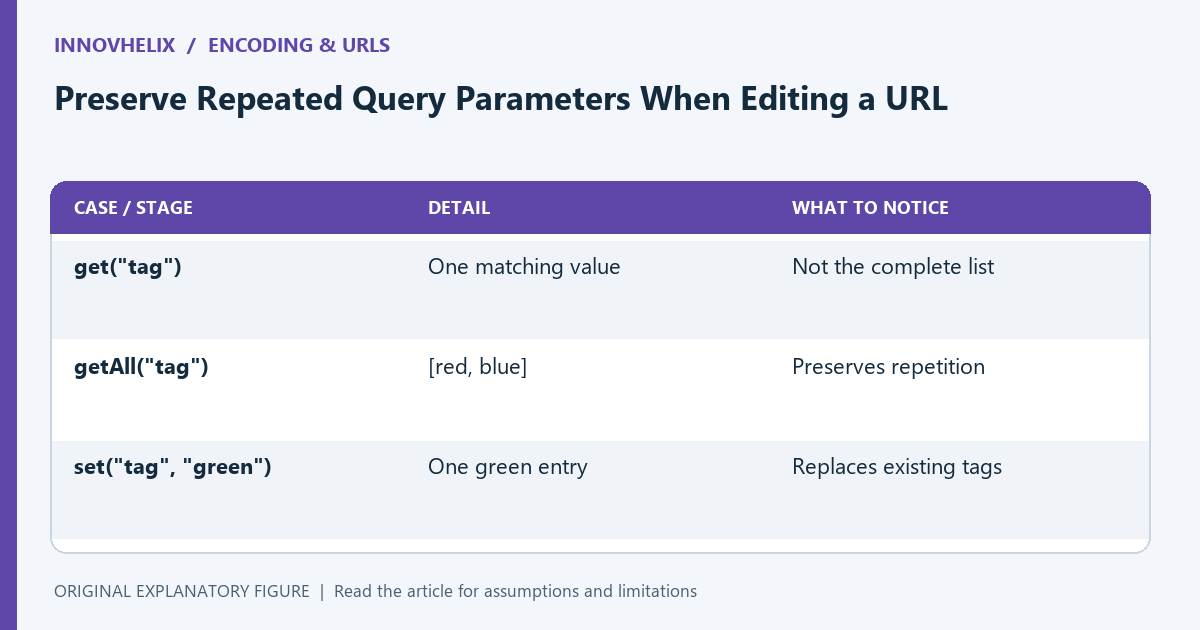
A URL can contain the same query key more than once. Turning its query into a plain object too early can silently discard that information. This guide uses a filter URL with two tag values and an empty search term to show what to preserve, what to ask the receiving API, and how to inspect the result without double encoding it.
Write the receiving contract first
Consider ?tag=red&tag=blue&q=. The URL contains two tag entries and one explicitly empty q value. Whether the server interprets repeated tags as a list, keeps the last value, or rejects the request is part of that API’s contract. The URL syntax alone does not decide it.
Record the intended parameter names, allowed repetition, and meaning of empty values. A missing q and q= may lead to different behavior. Do not remove either form as a cosmetic cleanup before checking what the endpoint expects.
Inspect entries without flattening them
URLSearchParams provides entries in sequence and getAll for repeated values. Calling get for tag returns one value, so it is insufficient if you need the whole list. Converting the entries into an ordinary object also cannot represent two independent properties with the same name.
For a debugging note, write tag → [red, blue] and q → empty string. That representation makes the information visible without pretending the URL is a simple one-value-per-key map. Keep the original URL beside it for comparison.
Choose append and set deliberately
Appending tag=green adds another entry. Setting tag=green replaces the existing values for that name. Both operations can be correct, but they produce different filter requests. When building a multi-select interface, clear or rebuild the intended list explicitly rather than relying on whichever helper is convenient.
For the sample filter, a successful edit might produce tag=red&tag=blue&tag=green&q=. Check all three values with getAll. If only green remains, you have performed a replacement rather than an addition.
Let the query serializer handle separators
A literal ampersand inside a value must not become a new parameter separator. Pass a raw value such as research & design to the query builder and let it serialize the data. Pre-encoding it and then sending it through another encoder can turn percent signs into encoded percent signs.
When decoding for inspection, distinguish the form-style handling of plus signs from a general URI decoder. URLSearchParams interprets a plus in a query value as a space. Test a literal plus with an encoded representation and confirm the endpoint receives the intended character.
Verify behavior at the boundary
Inspect the final serialized URL, parse it again, and compare the full entry list. Then use a development endpoint or documented request example to verify how the server reads it. A browser-side round trip proves what you built, not what an unknown server will do.
Keep a synthetic fixture covering duplicate keys, an empty value, a space, a plus, and an ampersand. Use the URL encoder to inspect a component when necessary. Avoid encoding the whole finished URL as if it were a single parameter value.
| Case or stage | Detail | What to notice |
|---|---|---|
| get("tag") | One matching value | Not the complete list |
| getAll("tag") | [red, blue] | Preserves repetition |
| set("tag", "green") | One green entry | Replaces existing tags |