Review a Redirect Destination After Resolving a Relative URL
Resolve relative references against the intended base, then inspect the resulting origin and path before using them.
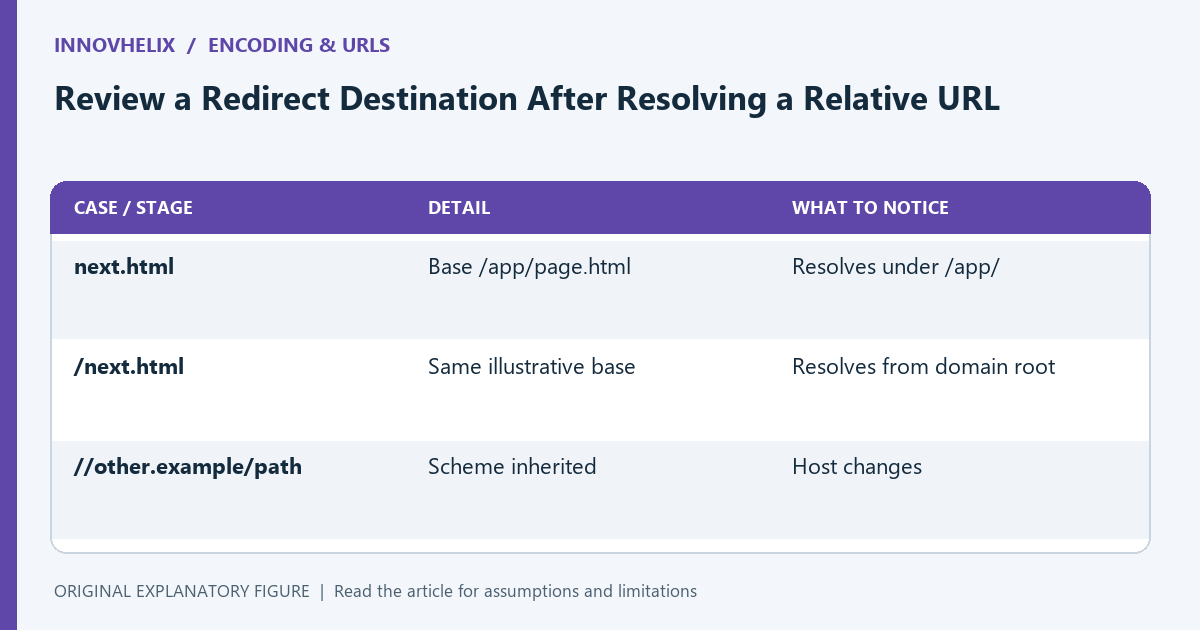
A relative address does not identify a destination by itself. It needs a base URL, and small differences such as a leading slash or two leading slashes can change the result. This guide uses synthetic links to separate resolution from destination approval. It is useful when inspecting return links or imported addresses; it does not present a string check as a complete security policy.
Write the base explicitly
Use an illustrative base of https://example.com/app/page.html. A reference of next.html resolves within /app/, while /next.html resolves from the domain root. Keep the base in the test fixture so the result is reproducible.
A different document directory produces a different relative result. Do not test a link against your development page and assume it has the same destination in production. The deployment prefix is part of the resolution context.
Inspect network-path references
A reference beginning with // can select a host while inheriting the scheme from the base. For example, //other.example/path resolves to another host. It is not the same as a root-relative /path.
This is why checking only that a string starts with a slash is insufficient for a same-origin rule. Resolve with an appropriate URL parser, then inspect the structured result. Preserve the original input in the diagnostic record.
Separate parsing from permission
A URL constructor can resolve a syntactically valid address without deciding whether your application should navigate there. After resolution, compare origin, scheme, path, and any other constraints in your application’s documented policy.
Do not treat successful parsing as approval. A public link browser and a sensitive redirect flow can have different allowed destinations. The checks should reflect the actual feature rather than a generic regex copied from another context.
Test encoded and normalized forms
Use fixtures with ordinary relative paths, root-relative paths, network-path references, and unexpected schemes. Inspect the parser’s output rather than relying on the original string’s appearance. Reject unsupported inputs with an understandable result.
Keep the test focused on your accepted forms. Do not decode repeatedly until an input looks acceptable; repeated transformation can change its meaning. Use one documented processing order and compare the final structured destination.
Record the destination decision
Save original reference, base, resolved URL, and the rule that accepted or rejected it. A useful note says “resolved origin differs from the allowed origin” rather than “bad URL.” That makes edge cases easier to review.
Use the URL tool to inspect components and verify the same processing in the consuming code. Resolution is a mechanical step; approval is an application decision. Keeping them separate helps prevent a convenient parser default from becoming an unintended navigation policy.
| Case or stage | Detail | What to notice |
|---|---|---|
| next.html | Base /app/page.html | Resolves under /app/ |
| /next.html | Same illustrative base | Resolves from domain root |
| //other.example/path | Scheme inherited | Host changes |