Encode Unicode text as Base64 without breaking emoji
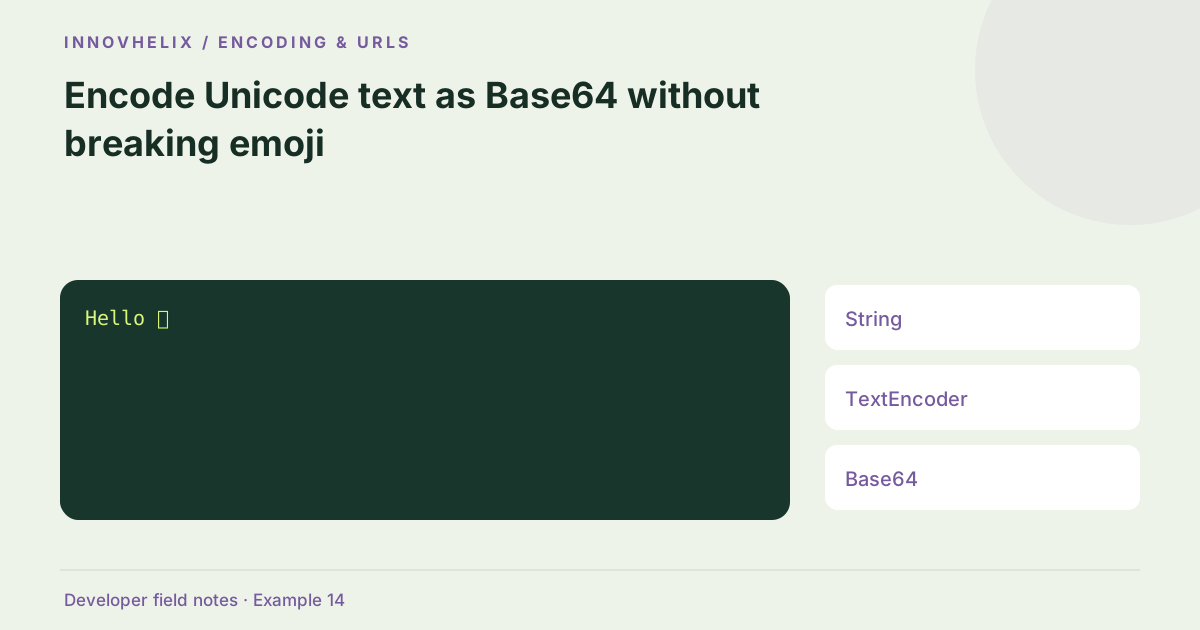
Base64 represents bytes, not abstract characters. JavaScript strings require an explicit encoding step before they can be represented as Base64. Use Unicode text → UTF-8 bytes → Base64, and reverse those steps to decode. This distinction explains why an ASCII-only test can pass while an emoji or Vietnamese word fails.
Try the Base64 Encoder & Decoder with the synthetic example below. Processing stays in your browser; the guide explains what the result can and cannot establish.
Worked example: utf-8 round trip
Use this exact sample to isolate the behavior discussed above. Keep the operation and options with the sample when reporting a result; changing the input representation can change what the test demonstrates.
Input or question
Hello 👋Expected result or interpretation
SGVsbG8g8J+Riw==A final newline survives the encoding round trip
Compare the exact strings hi and hi followed by LF. The first encodes as aGk=, while the second encodes as aGkK under UTF-8. They may look similar when displayed in a paragraph, but the decoded results have different lengths and bytes. Keep the newline inside an escaped fixture definition and compare the recovered string exactly. A trim call in the test would conceal the difference and make an incorrect conversion appear successful. This is especially relevant when encoding snippets copied from an editor that adds a final terminator. Decide whether the terminator belongs to the data before encoding, and document any deliberate removal as a separate transformation.
Why direct btoa fails
btoa expects a binary string whose characters each represent one byte. A code unit above 255 cannot be passed directly. Some accented characters fall within that range, hiding the mistake, but direct encoding still does not establish UTF-8. TextEncoder creates the required Uint8Array. Our tool converts those bytes in chunks before calling btoa, avoiding one enormous spread operation. The output represents the UTF-8 bytes rather than a count of visible characters.
Decode bytes as text deliberately
atob reconstructs bytes; TextDecoder interprets them as UTF-8. This tool enables fatal decoding, so invalid byte sequences cause a readable error instead of replacement characters. Valid Base64 can hold arbitrary binary data and therefore fail this text decoder. That is a limitation of the text interface, not proof that the binary payload is damaged. Use a file-oriented decoder when the source is an image, archive or other binary artifact.
Preserve Unicode and whitespace
Visually similar Unicode sequences can encode differently. A precomposed accented character and a combining sequence need not produce the same bytes. This tool does not normalize them. Newlines and trailing spaces are data too. If an application defines normalization, apply that policy explicitly before encoding on both sides. Do not normalize a signed payload just to make its visible representation look consistent.
Test the receiving system
A useful fixture includes ASCII, an accented word, a non-Latin sample, emoji and a newline. Encode and decode it, then compare the exact original string. Repeat the test in the receiving runtime with UTF-8 specified. A successful browser round trip alone cannot establish that another service uses the same encoding. Record the Base64 variant and padding policy with your fixture so future readers can reproduce it.
Verify text recovery rather than output appearance
Make the assertion about the decoded string, not whether the encoded value looks like Base64. A fixture with only hello exercises the alphabet but says little about Unicode handling. Add a synthetic accented phrase and a supplementary emoji, then compare the complete original with the recovered string. Keep the fixture in a UTF-8 source file and record any editor normalization that could change it before the test runs.
When a decoder reports invalid UTF-8, determine whether the expected result was text at all. An archive or image can be perfectly valid Base64 and still have no useful string interpretation. Do not switch to permissive replacement-character decoding merely to hide the error. If the producer used a different text encoding, use a decoder for that documented encoding and label the result. This interface intentionally supports UTF-8 text only. Check the receiver’s handling of line wraps in the encoded value as well; the tool ignores whitespace there, but a strict protocol may not. A round-trip test should preserve input whitespace and should not be confused with a protocol acceptance test. Both are useful, and they answer different questions about the conversion boundary.
A useful failure report includes the original synthetic string and selected alphabet. Do not attach only the encoded output, because the missing encoding assumption may be the source of the defect.
Verification cases
- hello: ASCII baseline round trip.
- Xin chào 👋: Mixed Unicode round trip.
- Base64 holding non-UTF-8 bytes: Expect a text-decoding error, not silent replacement.
Decision reference
| Case | Meaning or choice | What to do with it |
|---|---|---|
| String | JavaScript text | Not a byte array |
| TextEncoder | UTF-8 bytes | Defines the encoding |
| Base64 | ASCII byte representation | Not encryption |
| Fatal TextDecoder | Validated UTF-8 | Rejects non-text bytes |
Before you use the result
- Specify UTF-8 on both sides.
- Include emoji and a final newline in tests.
- Compare exact strings after decoding.
- Use file tools for arbitrary binary content.
Continue the workflow
Base64 vs encryption vs hashing: three different operations addresses choose encoding, encryption or hashing. Base64url and padding: why tokens use a different alphabet addresses convert base64 and base64url text.
Technical reference
Consult MDN browser API reference for the relevant underlying behavior or concept. Test the exact runtime used by your application when engine compatibility matters.
Corrections are welcome through Contact & feedback. Read our editorial policy for scope and limitations.