Base64 vs encryption vs hashing: three different operations
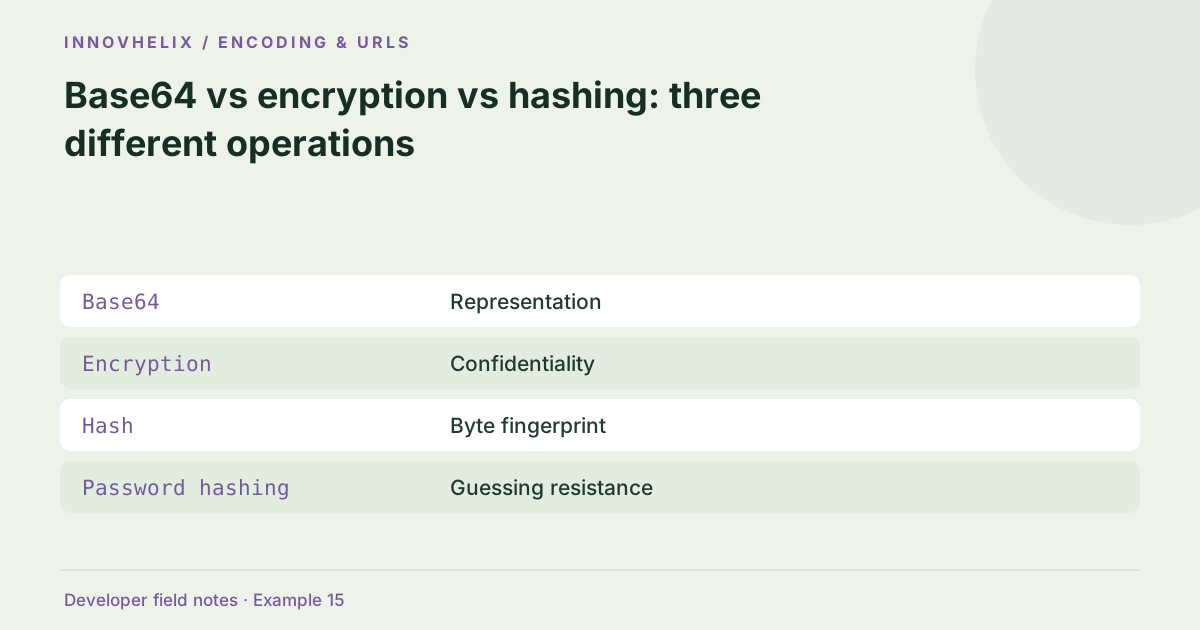
An unreadable-looking value is not necessarily protected. Base64 changes representation, encryption addresses confidentiality and hashing produces a fingerprint. The right choice depends on whether the data must be recovered, protected from disclosure or compared against a reference. A tool should name its operation accurately so users do not infer security from unfamiliar output.
Try the Base64 Encoder & Decoder with the synthetic example below. Processing stays in your browser; the guide explains what the result can and cannot establish.
Decision reference
| Case | Meaning or choice | What to do with it |
|---|---|---|
| Base64 | Representation | Reversible without a key |
| Encryption | Confidentiality | Requires a keyed design |
| Hash | Byte fingerprint | Not sender authentication |
| Password hashing | Guessing resistance | Not a plain fast digest |
Encoding is reversible without a secret
Base64 represents bytes through an ASCII alphabet that is convenient for transport. Anyone with the value can decode it. It does not hide passwords, tokens or personal information. An encoded string in a URL can also appear in logs and browsing history. Use synthetic values in examples and avoid sharing live credentials simply because their text is not immediately readable.
Encryption is a complete keyed workflow
Encryption requires an appropriate scheme, key management and integrity protection, not just a transformed string. Nonce handling, storage, rotation and failure behavior matter. This site does not implement encryption or ask for secret keys. When confidentiality is the requirement, use maintained protocols and libraries in your application context. A browser checksum utility cannot replace a security architecture.
A hash is a fixed-length fingerprint
SHA-256 maps input bytes to a 32-byte digest. It is not designed to be decoded back to the original. However, predictable inputs can be guessed and hashed, so a digest does not make a short secret safe. A plain hash also does not identify its sender. Comparing against a trusted expected digest is a different operation from authenticating a message.
Passwords need a dedicated design
A fast general-purpose digest is not a complete password-storage scheme. Password handling needs dedicated password hashing, appropriate salts and cost parameters in an authoritative system. Never paste real passwords into an example tool. For a Base64 round trip, check exact recovery; for a digest, check known vectors and byte sensitivity. For encryption, verify the actual protocol rather than judging output appearance.
Worked example: same source, different purpose
Use this exact sample to isolate the behavior discussed above. Keep the operation and options with the sample when reporting a result; changing the input representation can change what the test demonstrates.
Input or question
Text: hello
Base64: aGVsbG8=
Expected result or interpretation
SHA-256: 2cf24dba5fb0a30e26e83b2ac5b9e29e1b161e5c1fa7425e73043362938b9824Encoding a guessable code does not increase its secrecy
Suppose an application encodes the synthetic code 1234 as Base64 and puts it in a link. A recipient can decode it without knowing a key. Hashing the same short code does not turn it into a strong secret either: an attacker can hash candidate codes and compare them. These observations concern the operation’s properties, not a recommendation to attack a system. If the application needs a confidential or authenticated token, use the appropriate established protocol and random secret material under its requirements. Keep the diagnostic example synthetic. The workbench can show representation changes, but it does not certify a token design merely because the output is longer than the source.
Write a transformation requirement before choosing a tool
State the desired property in one sentence: the receiver must recover bytes, a reader without a key must not learn content, or a verifier must compare content with a trusted reference. Those sentences lead to different operations. If more than one property is required, a protocol can combine operations, but Base64 by itself does not gain confidentiality merely because it is used inside an encrypted system.
Use a synthetic low-entropy input to understand why a digest is not secrecy. Someone can guess the original candidates, hash each and compare outputs without decoding the digest. That is particularly relevant to passwords and small numeric codes. Do not measure protection by how unfamiliar an output looks. Also keep authentication separate from confidentiality: encrypted content may still need authenticated handling under the selected scheme. In documentation, name the actual primitive and avoid verbs such as secure or protect when the tool only encodes. In a UI, a Base64 action should say Encode or Decode, and a digest action should state the algorithm. Accurate labels reduce the chance that a convenience utility will be used as an improvised security mechanism. The site’s explicit limitations are intended to preserve that boundary.
If a requirement says “secure this value,” ask which security property is needed before picking an operation. Confidentiality, integrity and authentication have distinct acceptance tests and should not share a vague success label.
Verification cases
- Need a reversible ASCII representation: Base64 can fit the requirement.
- Need confidentiality: Use an appropriate encrypted protocol, not Base64.
- Need a password store: Use a dedicated password-hashing design.
Before you use the result
- Write down whether recovery is required.
- Do not call Base64 encryption.
- Use this digest tool only for supported integrity tasks.
- Keep real secrets out of examples.
Continue the workflow
Encode Unicode text as Base64 without breaking emoji addresses fix base64 encoding of non-ascii text. Hash vs HMAC vs signature: which question are you answering? addresses distinguish integrity from authentication.
Technical reference
Consult MDN browser API reference for the relevant underlying behavior or concept. Test the exact runtime used by your application when engine compatibility matters.
Corrections are welcome through Contact & feedback. Read our editorial policy for scope and limitations.