Distinguish a Date-Only String From a Local Appointment Time
Keep calendar dates, local date-times, and offset-bearing instants separate when converting timestamps.
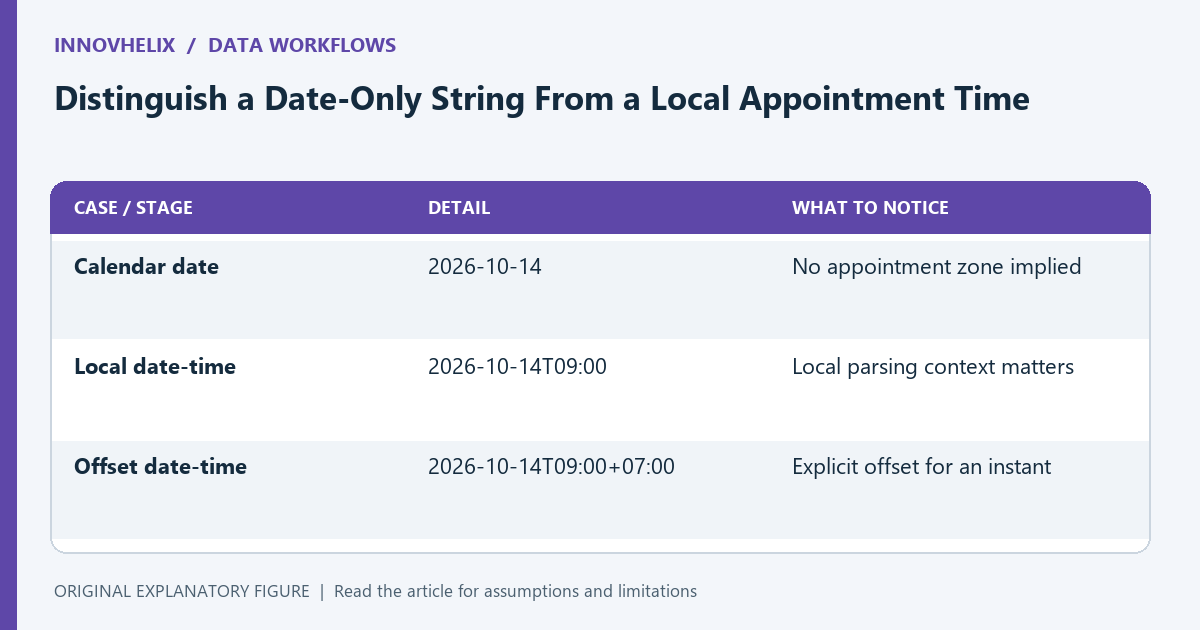
A date-only value such as 2026-10-14 and a local appointment at 09:00 describe different kinds of information. Turning both into an instant without an explicit contract can move the displayed calendar date or assign the wrong time zone. This guide follows JavaScript’s standard date-string behavior and recommends synthetic fixtures for the boundaries your application actually uses.
Name the data type in plain language
A birthday or billing date may be a calendar date without a time zone. A meeting time needs a date, clock time, and a zone or offset sufficient for the intended use. An event timestamp identifies an instant.
Write that meaning in the schema before selecting a parser. A string field called date is not a complete contract. Your storage and display decisions should preserve whether the source meant a calendar date or a point on the global timeline.
Inspect the standard parsing distinction
For supported ISO-style formats, a date-only string is interpreted as UTC, while a date-time string without an offset is interpreted in the local time zone. An offset-bearing date-time explicitly identifies its offset.
This means parsing a date-only value and then displaying it in another zone can show a different calendar date. Avoid using incidental local browser settings to infer the source’s intended appointment zone. Keep the source meaning separate from parser defaults.
Reject ambiguous formats at the boundary
Inputs such as 03/04/2026 can be read differently by people and may have implementation-dependent parsing behavior. Choose a documented accepted format rather than hoping the parser matches the user’s convention.
For a calendar-date field, preserve an agreed year-month-day representation and validate its calendar meaning. For an appointment, gather the missing zone information. Do not silently append Z to a local time unless UTC is genuinely the intended interpretation.
Build fixtures around midnight
Use a date-only fixture, a local date-time fixture, and an offset-bearing fixture. Test display in the zones your application supports, especially around midnight. Compare the intended calendar date as well as the numerical timestamp.
A successful parse only proves the parser accepted the input. It does not prove the result matches the user’s meaning. Write expected interpretations before running the conversion so the test does not merely approve whatever the library returned.
Expose the distinction in the interface
Label fields as calendar date, local appointment time, or timestamp when that helps the user choose correctly. Show the zone used for a conversion and retain the original input in a diagnostic record.
Use the timestamp converter for explicit instants and the time-zone guide for interpretation. Keep non-instant calendar data out of an unnecessary instant conversion. The result should be a documented boundary between the source meaning, parsed representation, and displayed value.
| Case or stage | Detail | What to notice |
|---|---|---|
| Calendar date | 2026-10-14 | No appointment zone implied |
| Local date-time | 2026-10-14T09:00 | Local parsing context matters |
| Offset date-time | 2026-10-14T09:00+07:00 | Explicit offset for an instant |