ISO timestamps, timezone offsets and daylight-saving ambiguity
A date-time without a timezone is not always a uniquely identified instant. Around daylight-saving transitions, a local clock time can occur twice or not at all. For API events, use an explicit UTC marker or offset. For future local appointments, a named timezone may be needed in addition to a displayed offset.
Try the Unix Timestamp Converter with the synthetic example below. Processing stays in your browser; the guide explains what the result can and cannot establish.
Decision reference
| Case | Meaning or choice | What to do with it |
|---|---|---|
| Z | UTC | Explicit instant representation |
| +07:00 | Numeric offset | Not a named timezone |
| Bare local time | Potential ambiguity | Rejected by this tool |
| Date only | Calendar concept | Not necessarily an instant |
Require the offset when identifying an instant
2026-10-04T08:30:00Z identifies a UTC instant. A timestamp with +07:00 identifies an offset from UTC. The converter requires seconds and an explicit Z or numeric offset, rejecting ambiguous bare local forms. An offset describes the relationship at that moment; it is not the same as a named timezone with historical and future transition rules.
Understand the sign direction
A +07:00 local time is seven hours ahead of UTC, so 08:30 at that offset corresponds to 01:30 UTC. Converting to UTC changes the displayed clock and possibly the date. The underlying instant remains the same. Test a value near midnight so date rollover becomes visible. Avoid manually adding an offset to a Date that already represents the parsed instant.
Daylight saving needs a zone policy
A fall-back transition may repeat a local time, while a spring-forward transition may skip one. A numeric offset can disambiguate an already-known event, but scheduling a future local appointment often needs a named zone and explicit ambiguity handling. This utility is an instant converter, not a timezone database or scheduler. Use a suitable date-time library for named-zone scheduling.
Reject impossible calendar values
A parser can normalize some impossible dates unexpectedly. The tool checks ordinary month, day and clock ranges before returning the parsed result. It does not implement leap-second handling or preserve arbitrary fractional precision beyond milliseconds. Keep original timestamps in logs and test actual API formats. For date-only values such as birthdays, do not automatically treat the value as a UTC event time.
Keep instant and calendar requirements apart
An event log usually needs an instant; a birthday usually needs a calendar date; a future meeting may need a local date, time and named zone. Those are different models. Do not force them all through an epoch converter just because Date is available. For an event, explicit UTC or offset text supports a reproducible conversion. For a recurring local appointment, a named zone and scheduling policy are needed.
Test offset inputs that cross a UTC date boundary, and retain the original representation if it is needed for an audit trail. A +07:00 offset says how that written time relates to UTC, not which region’s future daylight-saving rules apply. If a scheduler accepts an ambiguous local time, define whether it asks the user to choose or follows a documented rule. If a local time does not exist during a clock jump, define rejection or adjustment behavior explicitly. This browser converter intentionally does not solve those named-zone cases. It requires an explicit timezone and returns the identified instant at millisecond precision. Impossible calendar values should produce an error rather than be treated as a successful repair. Keep that distinction visible: conversion explains a specified value, while scheduling interprets a human intention under a zone policy.
Verification cases
- 08:30 at +07:00: 01:30 UTC on the same sample date.
- 00:30 at +07:00: UTC can be on the previous date.
- 2026-02-30 with an offset: Reject the impossible calendar date.
Worked example: offset conversion
Use this exact sample to isolate the behavior discussed above. Keep the operation and options with the sample when reporting a result; changing the input representation can change what the test demonstrates.
Input or question
Input: 2026-10-04T08:30:00+07:00Expected result or interpretation
UTC: 2026-10-04T01:30:00.000ZTwo written timestamps can identify one instant
Compare 2026-10-04T08:30:00+07:00 with 2026-10-04T01:30:00Z. Both identify the same instant, so their Unix millisecond outputs should agree even though the written clock times differ. Keep their original representations if the local context matters to a report. Conversely, the same clock text with different offsets can identify different instants. Do not compare timestamp strings lexically when the operation is chronological comparison across offsets. Parse under a documented format and compare the resulting instant. For future scheduling, this equivalence example still does not supply a named timezone or daylight-saving policy; it only demonstrates conversion of already explicit offsets.
Before you use the result
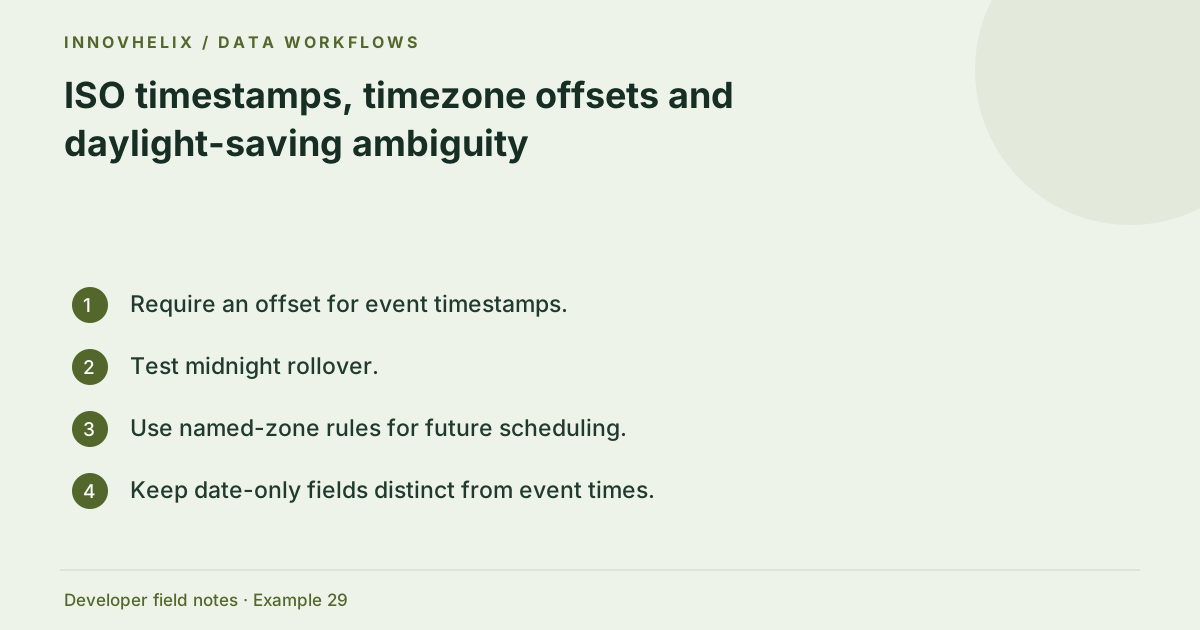
- Require an offset for event timestamps.
- Test midnight rollover.
- Use named-zone rules for future scheduling.
- Keep date-only fields distinct from event times.
Continue the workflow
Unix seconds vs milliseconds: diagnose a timestamp unit mismatch addresses convert epoch timestamps with explicit units. A practical JSON API debugging workflow addresses trace an api payload failure.
Technical reference
Consult MDN browser API reference for the relevant underlying behavior or concept. Test the exact runtime used by your application when engine compatibility matters.
Corrections are welcome through Contact & feedback. Read our editorial policy for scope and limitations.