A practical JSON API debugging workflow
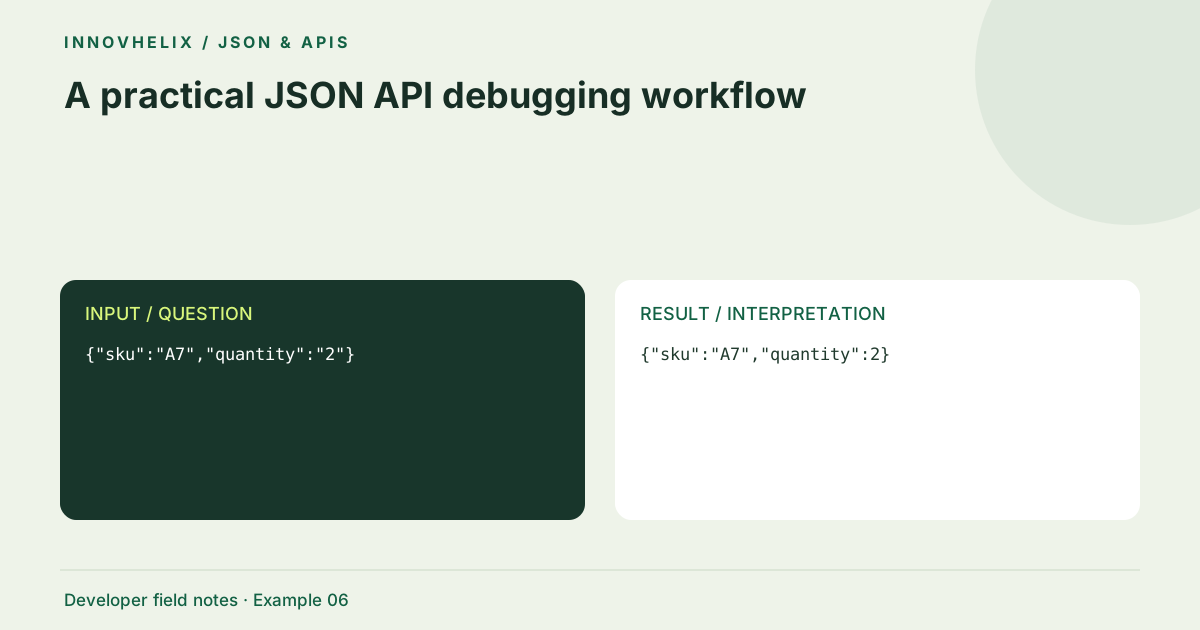
When an API request fails, reformatting its JSON is only one part of the diagnosis. Status codes, headers, field types and environment differences all matter. A useful workflow preserves evidence, isolates the smallest failing request and checks the contract before changing application code. Here is a reproducible sequence for a small order endpoint.
Try the JSON Formatter & Validator with the synthetic example below. Processing stays in your browser; the guide explains what the result can and cannot establish.
Worked example: contract mismatch
Use this exact sample to isolate the behavior discussed above. Keep the operation and options with the sample when reporting a result; changing the input representation can change what the test demonstrates.
Input or question
{"sku":"A7","quantity":"2"}Expected result or interpretation
{"sku":"A7","quantity":2}Distinguish an empty array from an error
Suppose a search endpoint returns HTTP 200 and {"items":[]} for one query, but HTTP 400 and {"error":"invalid filter"} for another. Formatting makes both bodies readable; it does not make them equivalent application outcomes. A client that checks only whether JSON.parse succeeded may display the error object as an empty result or crash while reading items. Assert the status and documented response shape together. Keep a fixture for a successful empty result so error handling does not turn every zero-item response into a failure. The smallest reproduction should include the filter that distinguishes the two requests without copying authorization headers or real records.
Capture the complete transaction
Record the method, endpoint, status, relevant content headers and response body. Redact authorization headers, cookies and personal records before sharing a reproduction. A 200 status does not prove that the response is JSON, and a JSON error body does not mean the operation succeeded. Note the environment and deployment revision so a teammate can reproduce the same behavior rather than a different server version.
Separate syntax from contract errors
Validate the request body first, then inspect the response body independently. A malformed request may never reach application validation. Conversely, valid JSON can fail because quantity is a string, a required field is absent or a field name has the wrong case. Write down the expected type beside each suspicious property. Avoid changing several field types at once without identifying which contract rule you are testing.
Build the smallest failing fixture
Start with the required fields for one record. Remove optional properties while keeping the failure reproducible. Replace personal values with synthetic ones that retain relevant features, such as a non-ASCII name or a long identifier. If removing an array item changes the outcome, compare that item with a known good item. A small fixture is easier to understand and safer to keep in a regression test.
Compare meaningful differences
Format both known-good and failing payloads consistently, then use the line diff tool. Treat array order as meaningful unless the API explicitly says otherwise. Optional key sorting can reduce object-order noise for human review, but it is not a signing canonicalizer. Pay attention to null versus missing properties and empty strings versus zero; those distinctions often explain behavior more directly than a deeply nested syntax issue.
Turn the diagnosis into an assertion
Once you identify a mismatch, create a test that fails on that exact condition. Assert status, response shape and the fields relevant to the defect. Keep logs concise and redact secrets at the source. A fixed sample that merely parses is not enough if the original bug was a wrong type or lost precision. Include one boundary case so the repair is less likely to regress during refactoring.
Record a one-variable experiment
Write an experiment note with a hypothesis, one changed field and an observed response. For the order sample, the hypothesis might be that quantity must be numeric. Keep the endpoint, method and other fields constant while changing "2" to 2. If the status or response changes, record the evidence before trying a second modification. This is more useful than a sequence of unrecorded edits that happens to produce success.
Repeat the successful request in the intended environment and compare the authoritative contract. A staging endpoint might tolerate a value that production rejects, or an older deployment may use a different schema. Include request and correlation identifiers only when they are safe and relevant to your team’s diagnostics. Keep authorization material out of screenshots and reports. When converting the experiment into a regression test, assert the behavior that caused the problem: type rejection, correct quantity or preservation of an ID. Avoid testing only that the body parses. A parser success would not have caught the original contract mismatch. Finally, retain one nearby failure case so the test shows that the repaired validation still rejects incorrect data. The workbench helps inspect evidence; the application’s own tests confirm the actual repair.
Verification cases
- quantity as "2": Valid JSON; possibly wrong contract type.
- quantity as 2: Test the documented numeric requirement.
- Missing quantity: Separate required-field behavior from type behavior.
Decision reference
| Case | Meaning or choice | What to do with it |
|---|---|---|
| Syntax check passes | Body is parseable | Does not establish contract validity |
| HTTP 415 | Media type rejected | Inspect Content-Type and endpoint expectations |
| Field absent | Optional or missing | Distinguish from explicit null |
| Different environments | Different behavior | Record revision and configuration |
Before you use the result
- Capture headers and status alongside the body.
- Use synthetic values with the same relevant types.
- Change one suspected contract violation at a time.
- Add a targeted regression assertion.
Continue the workflow
Fix common JSON syntax errors with a small debugging loop addresses diagnose invalid json. JSON numbers, large IDs and JavaScript precision addresses avoid corruption of large numeric identifiers.
Technical reference
Consult MDN browser API reference for the relevant underlying behavior or concept. Test the exact runtime used by your application when engine compatibility matters.
Corrections are welcome through Contact & feedback. Read our editorial policy for scope and limitations.