JSON numbers, large IDs and JavaScript precision
A long numeric ID can look correct in a network response and change after a JavaScript parser reads it. The problem is not JSON whitespace; it is the representation of numbers in the receiving runtime. IDs, money and measurements have different requirements. This guide gives a decision framework for choosing strings, integers and decimal handling without pretending that a browser formatter is a lossless number editor.
Try the JSON Formatter & Validator with the synthetic example below. Processing stays in your browser; the guide explains what the result can and cannot establish.
Decision reference
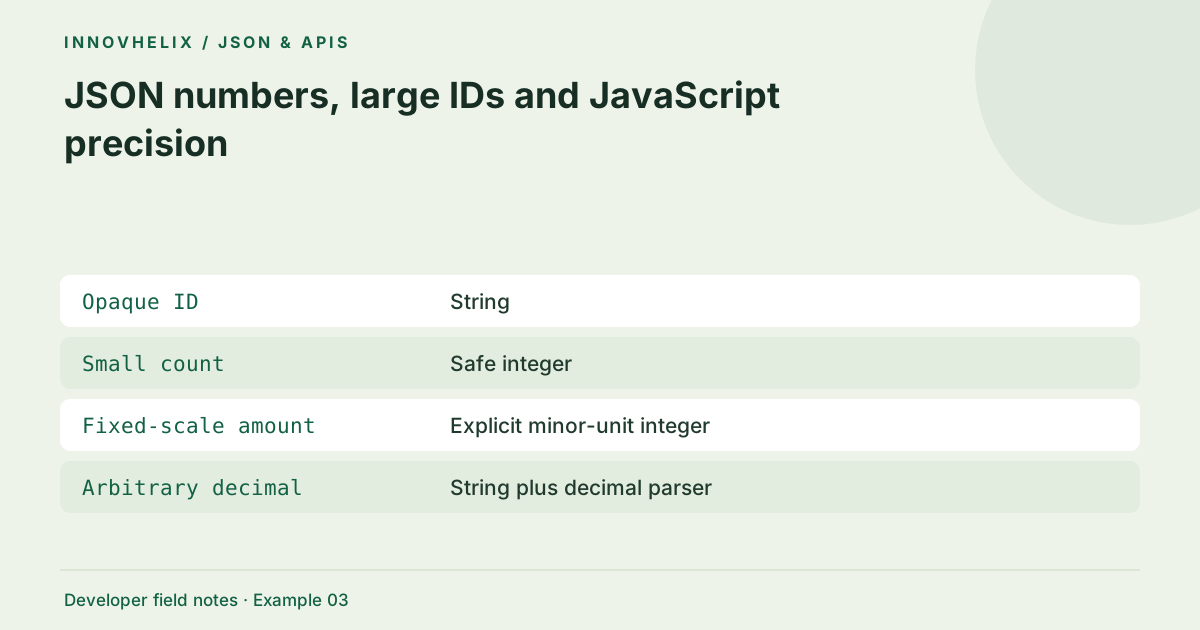
| Case | Meaning or choice | What to do with it |
|---|---|---|
| Opaque ID | String | Preserves spelling and leading zeros |
| Small count | Safe integer | Supports exact counting |
| Fixed-scale amount | Explicit minor-unit integer | Requires documented scale |
| Arbitrary decimal | String plus decimal parser | Avoids binary rounding assumptions |
Recognize the safe-integer boundary
JavaScript uses IEEE 754 binary64 for Number values. Integers from negative 9,007,199,254,740,991 through positive 9,007,199,254,740,991 are safe: adjacent integers remain distinguishable. Larger values are not automatically wrong, but not every adjacent integer is representable. An identifier is especially vulnerable because one rounded digit points to a different record. The number of printed digits alone is not a sufficient safety test.
Use strings for opaque identifiers
An order ID is generally a label, not a quantity. Serializing it as a string preserves leading zeros and prevents unintended arithmetic. Document this choice in the API contract so clients do not coerce it back to Number. A database numeric column does not require a numeric JSON type at the public boundary. If a producer changes the representation, version or communicate the contract change to consumers.
Treat decimal arithmetic separately
Fractions such as 0.1 do not have exact finite binary representations. Calculations may expose tiny rounding errors even when each JSON number appears ordinary. For amounts with a fixed minor unit, an integer representation can work if the total remains within the safe range and the currency scale is explicit. Arbitrary-precision decimal libraries are another approach. This tool does not implement accounting rules or decimal arithmetic.
Do not revive an already-rounded value
A JSON.parse reviver sees a value after ordinary numeric parsing. Converting a rounded Number to BigInt cannot recover the missing digits. Modern runtime features and specialized parsers may preserve source text, but support and behavior must be verified before adoption. For a portable workflow, make the producer send a string or inspect the raw source with a parser designed for lossless numbers.
Test round trips before deployment
Create fixtures on both sides of the precision boundary, including negative values and IDs with leading zeros. Parse and serialize in the actual consumer runtime, then compare expected values as strings. Keep a sample that deliberately fails if accidental coercion is introduced. A formatter may warn generally about precision, but it cannot infer whether a field is an ID, a decimal measurement or a value intended for arithmetic.
Test the producer and consumer together
A precision test must include the serialized text, not just a JavaScript object that already contains a rounded number. Construct the raw fixture as text with the exact intended digits. Parse it in every supported consumer language, then compare a string representation of the resulting identifier with the expected string. This exposes differences that an object-based test can hide before the serializer is even called.
For a public API, define the identifier type in the schema and generated client types. A string ID should remain a string through form state, validation, database lookup and serialization. Avoid converting it to Number for sorting or temporary storage merely because the characters are digits. If numeric ordering is required, choose a comparison strategy suited to the documented range. For decimal quantities, keep scale and rounding rules separate from the identifier decision. A value representing three items has different semantics from an account label containing three digits. During migration from numeric to string IDs, check equality comparisons and route parameters in existing clients; a safe new representation can still break code that assumed numeric types. Record that compatibility risk rather than treating quoting as a purely cosmetic edit.
Verification cases
- 9007199254740991: Boundary safe integer.
- 9007199254740993 as raw number: Ordinary Number parsing can round it.
- "9007199254740993": Exact digits remain a string.
Worked example: identifier representation
Use this exact sample to isolate the behavior discussed above. Keep the operation and options with the sample when reporting a result; changing the input representation can change what the test demonstrates.
Input or question
{"recordId": 9007199254740993}Expected result or interpretation
{"recordId": "9007199254740993"}A leading-zero label must stay a label
An inventory system may distinguish SKU 00124 from SKU 124. They are different labels even though Number("00124") equals 124. If a CSV import converts the first to a number and later serializes it, the output cannot reconstruct the lost zeros. Represent both as strings at the exchange boundary and use exact lookup semantics. For numeric ordering, do not mutate the stored label merely to obtain a sort key. Keep a separate documented comparison strategy. The regression assertion should compare the complete original ID, including its length and leading characters. Testing only the numeric value would incorrectly pass the very transformation that corrupted the identifier.
Before you use the result
- Classify labels separately from quantities.
- Include boundary values in integration tests.
- Never recover digits from an already-rounded Number.
- Do not use formatted JSON as a signature source.
Continue the workflow
Format JSON without accidentally changing your data addresses safely pretty-print an api payload. JSON vs JavaScript object literals: what can cross the boundary? addresses distinguish json text from javascript syntax.
Technical reference
Consult MDN browser API reference for the relevant underlying behavior or concept. Test the exact runtime used by your application when engine compatibility matters.
Corrections are welcome through Contact & feedback. Read our editorial policy for scope and limitations.