Format JSON without accidentally changing your data
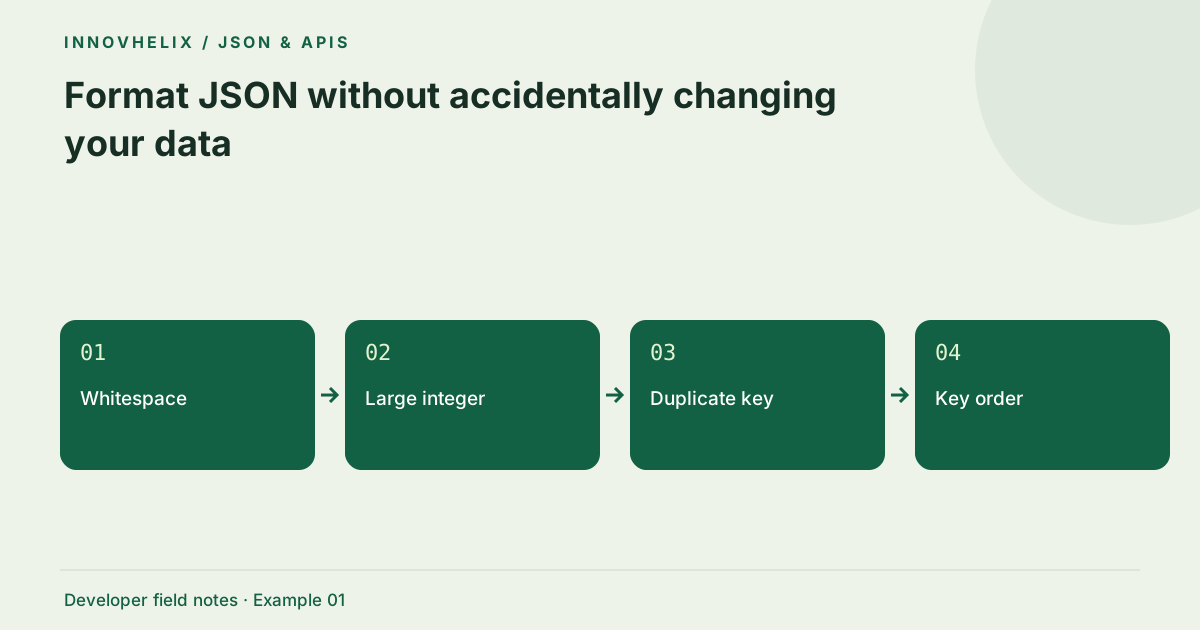
Pretty-printing JSON is useful when a one-line response hides a missing property or an unexpected array. The safe workflow is to separate readability from fidelity. A formatter makes structure easier to inspect, but parsing and serializing can change details that another system treats as important. Keep the original bytes when you need to verify a signature, preserve a large identifier or compare an exact response.
Try the JSON Formatter & Validator with the synthetic example below. Processing stays in your browser; the guide explains what the result can and cannot establish.
Worked example: readable payload
Use this exact sample to isolate the behavior discussed above. Keep the operation and options with the sample when reporting a result; changing the input representation can change what the test demonstrates.
Input or question
{"order":"IH-1042","items":[{"sku":"A7","qty":2}],"paid":false}Expected result or interpretation
{
  "order": "IH-1042",
  "items": [
    { "sku": "A7", "qty": 2 }
  ],
  "paid": false
}
Formatting a JSON string is not unpacking it
Suppose the input is "{\"ok\":true}" including its outer quotes. This is a valid JSON string whose content happens to resemble another JSON document. Formatting once should still produce a string, not an object with an ok property. If the API contract says the field carries serialized JSON, parse that field in a separate, explicit step. If the contract says the response is already an object, investigate the producer instead. Automatically parsing until an object appears makes the interface unpredictable and can conceal an unintended double serialization. Keep both representations in a fixture so the test checks the top-level type as well as the visible text.
Start with a copy of the response
Copy the response body rather than a JavaScript console object. Console previews may omit fields, show properties that were added later or display an object using JavaScript syntax. Save the original response as a separate file before changing indentation. Remove tokens and personal records from a reproduction, preserving their type and approximate shape. A sample with a string identifier should remain a string identifier, even after redaction.
Understand the parse–serialize boundary
The formatter calls JSON.parse and then JSON.stringify. This validates syntax and reconstructs a representation of the resulting JavaScript value. Whitespace disappears, escape sequences may normalize and number spelling may change. For example, 1.00 becomes 1 and 1e3 becomes 1000. These values are numerically equivalent, but their byte sequences differ. A signature calculated over the original text will no longer match the formatted text.
Protect large identifiers
JavaScript Number cannot represent every integer beyond 9,007,199,254,740,991 exactly. A JSON document can be valid and still lose an identifier during parsing. If the producer sends a database key as an unquoted number outside that range, do not use this formatter to create a replacement payload. Ask the producer for a string representation or use a lossless parser in your development environment. Formatting is not evidence that the parsed value is faithful.
Choose indentation for the audience
Two spaces work well for compact API examples; four spaces can make nested configuration easier to review. Minified output is useful for copying a small fixture into a request, although compression usually matters more than removing spaces for network size. Key sorting is optional and changes object ordering in the serialized view. JavaScript enumerates integer-like keys differently from other keys, so this option is not a canonicalization standard.
Verify the result at the right level
Compare field types, array lengths and representative values after formatting. An object should remain an object, not become a string containing JSON. If the original has duplicate object keys, ordinary parsing keeps the last value; the earlier value will not appear in the output. Reject that ambiguity upstream rather than assuming a neat result repaired it. For exact-byte workflows, compare the untouched original with a checksum instead of a formatted reconstruction.
Keep a fidelity ledger
A practical review records three artifacts: raw response, formatted view and the conclusion reached from the view. Put the raw response in a read-only fixture and keep the formatted copy separately. If the purpose is to count items, inspect the array length and several boundary items. If the purpose is to verify a signature, stop at the raw artifact and follow the signing protocol instead. The ledger makes it clear that the formatted output was a reading aid, not a replacement for the source.
For a regression fixture, choose ordinary data plus one deliberately sensitive representation: a large quoted ID, an escaped Unicode sequence or a repeated key in an intentionally invalid contract sample. Confirm which details the parser preserves and which it reconstructs. Do not expect the formatter to diagnose every ambiguity. If your team needs a guarantee about duplicate keys, add a parser that explicitly rejects them at ingestion. If it needs exact numeric spelling, use a lossless representation before any ordinary JSON.parse call. Those requirements should be visible in the fixture’s name or accompanying notes so a future cleanup does not remove the very condition under test.
Verification cases
- Quoted ID "00124": The leading zeros remain inside the string.
- Number 1.00: Output may become 1; spelling is reconstructed.
- Repeated key {"x":1,"x":2}: The parser retains 2; reject ambiguity upstream.
Decision reference
| Case | Meaning or choice | What to do with it |
|---|---|---|
| Whitespace | Safe for structural reading | Not safe for byte signatures |
| Large integer | May round during parsing | Preserve as a quoted string |
| Duplicate key | Last value wins in this parser | Reject or inspect the source |
| Key order | Can change in output | Do not use for canonical signing |
Before you use the result
- Save the raw response before formatting.
- Check identifier types and precision.
- Leave sorting off unless order is irrelevant.
- Validate the result against the consuming system.
Continue the workflow
Fix common JSON syntax errors with a small debugging loop addresses diagnose invalid json. JSON numbers, large IDs and JavaScript precision addresses avoid corruption of large numeric identifiers.
Technical reference
Consult MDN browser API reference for the relevant underlying behavior or concept. Test the exact runtime used by your application when engine compatibility matters.
Corrections are welcome through Contact & feedback. Read our editorial policy for scope and limitations.