Hash a Downloaded File Without Re-encoding Its Text
Compare raw-file bytes with pasted text and avoid transformations that invalidate an integrity check.
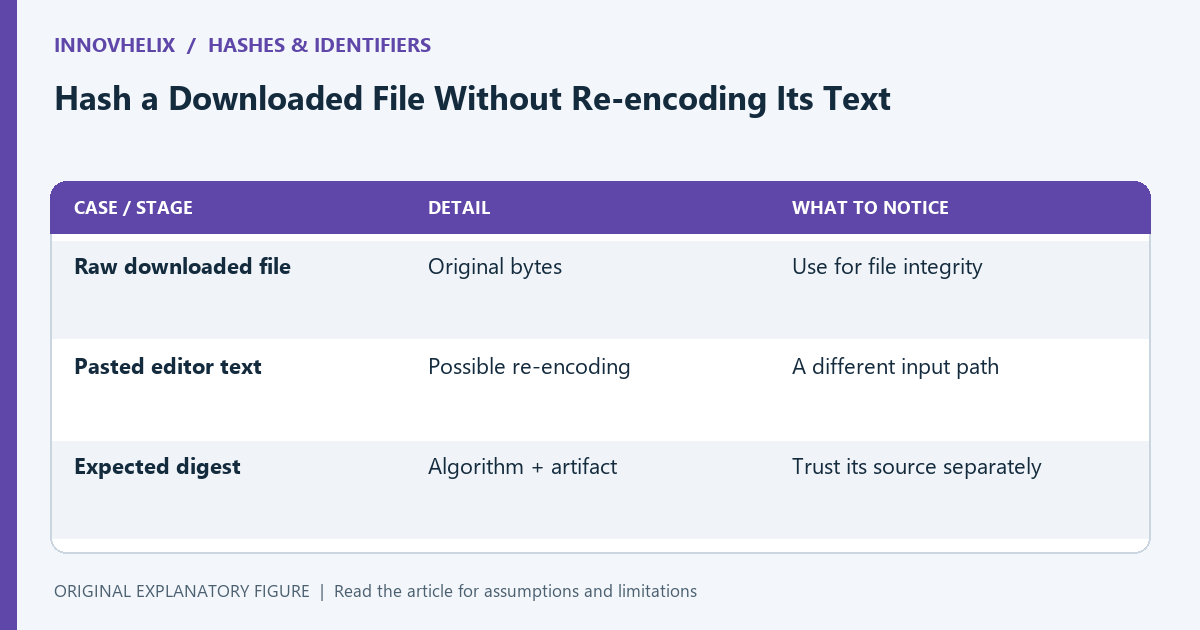
A downloaded file and the text you copy from an editor are not always the same byte sequence. Hashing the pasted text can produce a different digest even when the visible content looks unchanged. This guide explains a file-integrity workflow and the transformations to keep out of it. It does not treat a checksum match as proof that an untrusted publisher or download source is safe.
Define what the published digest covers
Check the algorithm and exact file associated with the expected digest. A checksum for an archive is not interchangeable with a checksum for a file extracted from it. Keep the expected value and its source together.
If the publisher does not state what was hashed, ask for clarification or use another verification method appropriate to the source. A digest without a clear artifact boundary cannot be reproduced reliably.
Read the file as bytes
Use the downloaded file’s original bytes. In a browser workflow, a file can be read into an ArrayBuffer and supplied to a digest API. Do not first decode it as text and then encode the text again unless the published contract explicitly describes that transformation.
Text decoding can remove or reinterpret a byte-order mark, replace invalid sequences, or normalize newline handling in a surrounding tool. Those changes may preserve apparent content while changing the byte sequence being checked.
Keep formatting out of integrity checks
Do not pretty-print JSON, normalize Unicode, or remove a final newline before computing a raw-file checksum. A formatted copy is a new artifact. If you want a semantic comparison as well, perform it separately and label it accordingly.
Use an illustrative pair of files whose only difference is a trailing newline. Their hashes should differ because their bytes differ. That fixture verifies that your workflow has not silently discarded the newline.
Compare the complete digest
Use the same algorithm and compare the full hexadecimal or otherwise specified representation. Pay attention to accidental spaces in a copied expected value. A short prefix can be convenient for display but is not the full comparison.
SubtleCrypto.digest is not a streaming interface, so browser implementations commonly need the input in memory. Consider file size and your actual tool’s capability. Do not claim a text-oriented tool checks arbitrary large binary files unless it supports that input path.
Interpret the result within its scope
A match establishes agreement with the expected digest under the chosen algorithm and artifact boundary. It does not establish that the expected value came from a trustworthy source. Obtain the reference through a channel appropriate to your verification goal.
Use the site’s hash tool for supported inputs and the checksum guide for terminology. Keep raw-file verification separate from a pasted-text experiment. A precise note says which file, algorithm, and expected source were used, rather than merely “the hash was correct.”
| Case or stage | Detail | What to notice |
|---|---|---|
| Raw downloaded file | Original bytes | Use for file integrity |
| Pasted editor text | Possible re-encoding | A different input path |
| Expected digest | Algorithm + artifact | Trust its source separately |