Read a color contrast ratio without overstating accessibility
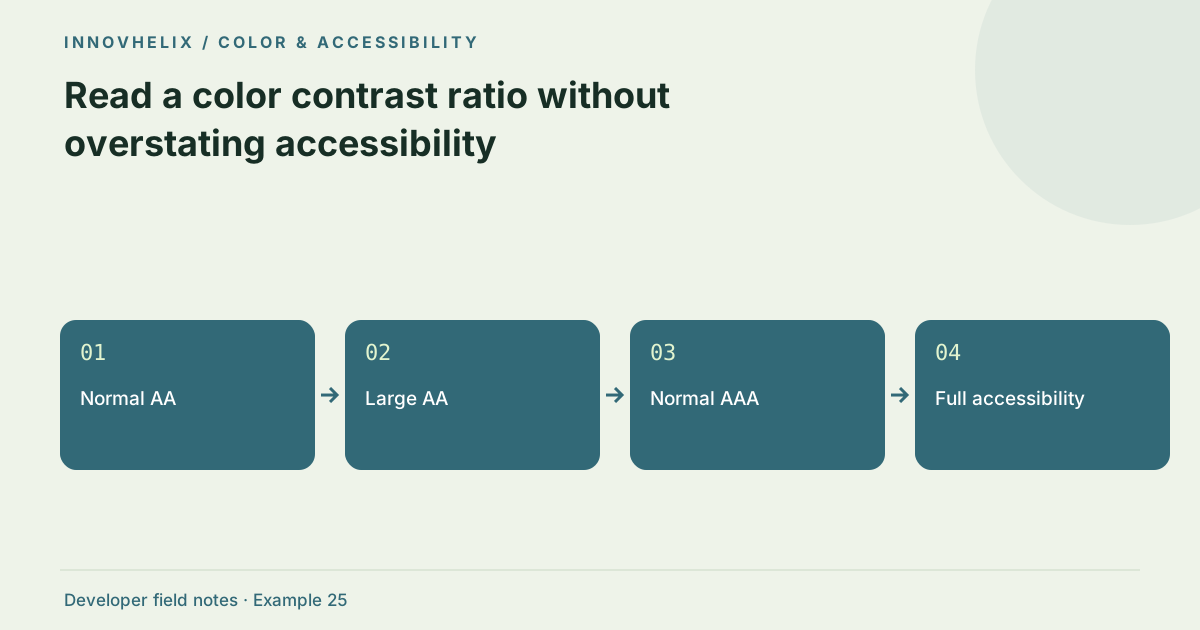
A contrast ratio measures the relationship between foreground and background luminance. It helps assess text readability under specific WCAG criteria, but it does not certify an entire interface as accessible. Font size, states, backgrounds and meaning all matter. Use the numeric check as one part of an actual component review.
Try the Color Palette & Contrast with the synthetic example below. Processing stays in your browser; the guide explains what the result can and cannot establish.
Worked example: known extremes
Use this exact sample to isolate the behavior discussed above. Keep the operation and options with the sample when reporting a result; changing the input representation can change what the test demonstrates.
Input or question
Foreground: #000000
Background: #ffffff
Expected result or interpretation
Contrast: 21:1
Normal AA: pass
Normal AAA: pass
White against a light tint needs an actual calculation
A pale brand tint may look attractive as a card background, but white text on it can be nearly invisible. Set white as foreground and the tint as background in the tool, then inspect the ratio and normal-text threshold. Replacing white with a dark reviewed foreground may solve the pairing without changing the whole palette. Check the actual role instead of assigning pass status to a color by itself. A token can be suitable for a surface and unsuitable for text. Keep successful and rejected pairs in the design notes, including the intended font size, so later reuse does not recreate the same readability problem.
Understand the ratio calculation
The tool converts six-digit sRGB hex channels into linearized values, calculates relative luminance and compares lighter with darker using (L1 + 0.05) / (L2 + 0.05). Ratios range from 1:1 for identical colors to 21:1 for black against white. Only the chosen foreground/background pair is checked. Generated palette swatches are not automatically approved for every text use.
Apply the correct text threshold
WCAG AA requires at least 4.5:1 for normal text and 3:1 for large text. Large text is approximately 18 points, or 14 points when bold, with equivalent sizing in the rendered context. AAA uses 7:1 for normal text and 4.5:1 for large text. Compare the underlying ratio rather than rounding a just-below-threshold value into a pass.
Inspect every relevant state
Buttons may have hover, focus, disabled and selected states. A base text color can pass against white and fail against a tinted card or overlay. Transparent colors, gradients and images need evaluation against the actual background. This tool accepts opaque hex colors only. Inspect the final rendered component, especially where a design token is reused in multiple contexts.
Do more than color testing
Visible focus, keyboard access, labels, semantic structure and non-color cues also affect usability. An error message should not depend only on red text, and a selected item needs an additional indicator when color alone carries meaning. Contrast checks cannot discover missing labels or screen-reader order. Test the interaction with keyboard and assistive tools, then use the ratio to verify specific visual pairs.
Review ratios in rendered context
Store the tested foreground, background and intended text role together. A ratio without those values is hard to reproduce, and a pass label without text size can be misleading. Test both the numeric pair and the actual component. Thin type, antialiasing and neighboring surfaces can affect practical readability even when the criterion’s computed threshold is met. Aim for a comfortable margin where the design allows it.
Include light and dark themes, hover states and any tinted container that reuses the text token. If a background is an image or gradient, evaluate the relevant regions rather than choosing one convenient average color. This tool accepts opaque sRGB hex values and therefore cannot resolve alpha compositing or background imagery for you. A disabled control may fall under different criterion treatment, but instructions and other readable content still need attention. Keep status meaning available through text and structure as well as color. A green success message and red error message should remain understandable when their hue distinction is unavailable. Finally, contrast review belongs alongside keyboard, label and screen-reader checks. A numerical pass is useful evidence for one visual question; it should never become a blanket accessibility badge on a site that has not been assessed across its interactions.
Verification cases
- Black on white: 21:1 known ratio.
- Same foreground and background: 1:1; text is not visually distinguished.
- Value just below 4.5: Do not round it into an AA normal-text pass.
Decision reference
| Case | Meaning or choice | What to do with it |
|---|---|---|
| Normal AA | 4.5:1 | Text readability criterion |
| Large AA | 3:1 | Use the large-text definition |
| Normal AAA | 7:1 | Stronger contrast threshold |
| Full accessibility | Multiple requirements | A ratio alone is insufficient |
Before you use the result
- Check the actual foreground/background pair.
- Use unrounded thresholds for decisions.
- Review hover and focus states.
- Add non-color cues for status and errors.
Continue the workflow
Build a small UI color palette from one seed color addresses create reusable shades and tints. Color tokens for hover, focus, errors and disabled states addresses design component states with consistent colors.
Technical reference
Consult WCAG contrast guidance for the relevant underlying behavior or concept. Test the exact runtime used by your application when engine compatibility matters.
Corrections are welcome through Contact & feedback. Read our editorial policy for scope and limitations.