Color tokens for hover, focus, errors and disabled states
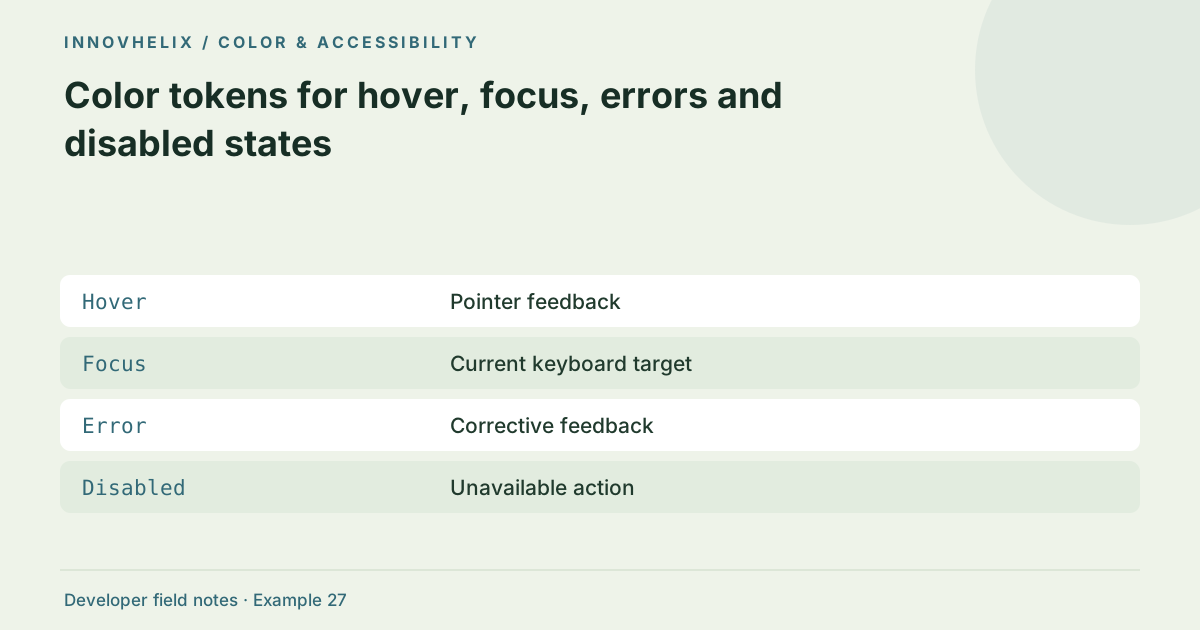
A static palette does not describe an interactive component. Hover, focus, selection and errors need consistent visual rules. Semantic tokens connect colors to those rules and make themes maintainable. Start from the component’s behavior and meaning, then choose reviewed color pairs rather than scattering hex values across stylesheets.
Try the Color Palette & Contrast with the synthetic example below. Processing stays in your browser; the guide explains what the result can and cannot establish.
Before you use the result
- Name component roles separately from hues.
- Keep visible keyboard focus.
- Explain errors with text.
- Test empty and loading states.
Worked example: semantic mapping
Use this exact sample to isolate the behavior discussed above. Keep the operation and options with the sample when reporting a result; changing the input representation can change what the test demonstrates.
Input or question
--green-dark: #126144;
--action-background: var(--green-dark);
Expected result or interpretation
Button uses --action-background; focus and error indicators have separate documented roles.A success color must follow current state
Run a valid input and obtain a green success message, then edit the input without running again. The result is now stale even if its text and contrast remain attractive. Clear or mark it unavailable and announce that processing is needed. If the next run fails, show the new error rather than leaving the old success beside it. This is a state correctness problem that palette checks cannot detect. Keep a interaction fixture that moves through success, edited input, failure and repaired success. Verify both visual styling and output availability. The semantic token called success should represent a current successful operation, not a permanently green region of the layout.
Separate primitives from semantic tokens
A primitive names a color value; a semantic token names its use. For example, a dark green primitive may supply action-background in one theme and a different role in another. Components should depend on roles where possible. This makes a palette adjustment less likely to change unrelated text or borders. Keep a small token inventory that explains which foreground belongs with each surface.
Focus is an interaction requirement
A keyboard user needs to locate the currently focused control. Use a visible outline or another clear indicator and verify it against nearby backgrounds. Hover styling cannot substitute for focus because keyboard and touch input behave differently. Avoid removing the native outline without providing an effective replacement. Test the full tab sequence, including secondary actions such as Copy, Download and Reset.
Errors need text and structure
An error state should contain a specific message and a visible association with the affected input. Color can reinforce it, but should not be the only signal. A red border without explanation leaves users guessing. For asynchronous tools, announce result or error status through an appropriate live region. Keep output cleared after invalid input so old successful results do not falsely imply that the new request worked.
Disabled states need a reason
A disabled action should correspond to a meaningful unavailable operation, such as Copy before output exists. Its appearance should distinguish it from enabled controls without making surrounding instructions unreadable. Avoid disabling input merely to force a preferred workflow. Review selected, loading and empty states too, and document how each state uses both visual styling and accessible text.
Use a state inventory for each component
Create a row for default, hover, focus, active, disabled, loading, success and error when those states exist. For each row, record background, foreground, border, focus indicator and accessible message. This prevents a component from having a polished default state and an improvised failure state. Not every state needs a new color; some are better communicated through text, a border or a clear icon with an appropriate label.
Test states in sequence. Change an input after a successful result, run an invalid request, repair it, then copy the new output. The visual and announced status should correspond to the current input at every point. A stale green result is misleading even if its colors have excellent contrast. Check focus after each action and ensure that the keyboard path still reaches recovery controls. For loading states, avoid using color alone to indicate progress and do not trap users unnecessarily. Disabled actions should reflect actual unavailable behavior, such as a missing current result, rather than serving as decoration. Review the state inventory in both themes if applicable. Semantic tokens make those revisions manageable, while explicit interaction tests show whether the component’s meaning remains consistent. Palette generation alone cannot verify that state logic.
Verification cases
- Input changed after success: Previous output and its success state become stale.
- Invalid request: Show a specific error and keep recovery reachable.
- Keyboard focus on action: Visible indicator remains distinguishable.
Decision reference
| Case | Meaning or choice | What to do with it |
|---|---|---|
| Hover | Pointer feedback | Not a keyboard focus replacement |
| Focus | Current keyboard target | Needs a visible indicator |
| Error | Corrective feedback | Message plus association |
| Disabled | Unavailable action | Explain why when necessary |
Continue the workflow
Build a small UI color palette from one seed color addresses create reusable shades and tints. Read a color contrast ratio without overstating accessibility addresses interpret wcag color contrast checks.
Technical reference
Consult WCAG contrast guidance for the relevant underlying behavior or concept. Test the exact runtime used by your application when engine compatibility matters.
Corrections are welcome through Contact & feedback. Read our editorial policy for scope and limitations.