Preserve leading zeros and define types when converting CSV to JSON
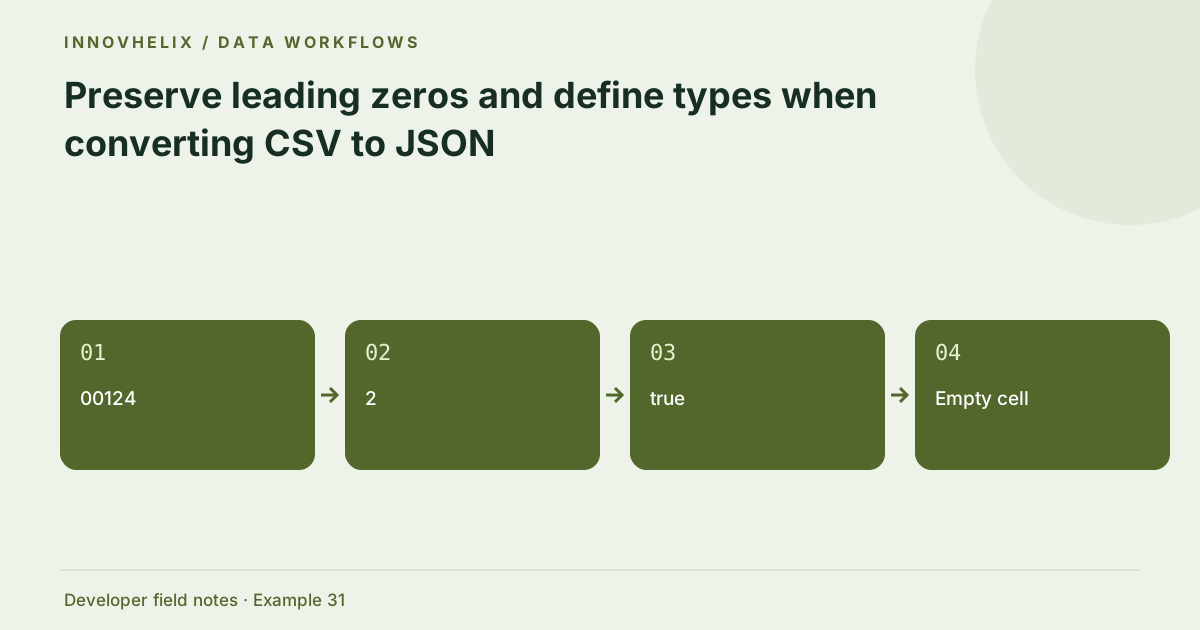
CSV cells do not carry a general JSON type system. A cell containing 00124 could be an identifier, while 124 could be a quantity. Automatic guessing can erase leading zeros or transform values incorrectly. The converter preserves strings deliberately; apply a documented schema as a separate step when your application needs typed values.
Try the CSV to JSON Converter with the synthetic example below. Processing stays in your browser; the guide explains what the result can and cannot establish.
Worked example: preserved label
Use this exact sample to isolate the behavior discussed above. Keep the operation and options with the sample when reporting a result; changing the input representation can change what the test demonstrates.
Input or question
sku,quantity,active
00124,2,true
Expected result or interpretation
[{"sku":"00124","quantity":"2","active":"true"}]An empty string should not become zero accidentally
JavaScript Number("") evaluates to zero, but an empty quantity cell may mean missing data rather than a real zero quantity. A schema-driven transformation should check the allowed spelling before numeric conversion. Decide whether missing quantity is rejected, defaulted under a documented rule or represented separately. Preserve the raw cell in an import error report so the distinction remains visible. Include empty, zero and a positive quantity in the fixture. If all three end up as valid numbers through broad coercion, the test is not enforcing the intended semantics. The CSV converter keeps every cell as text precisely so this later application decision is not made accidentally during parsing.
Treat identifiers as labels
Postal codes, inventory labels and external IDs often look numeric but should remain strings. Converting 00124 to a number destroys its spelling and may change a lookup. Large identifiers can also exceed JavaScript’s safe integer range. Preserve text at import, then classify columns using domain knowledge. A spreadsheet may already have altered the original data before export, which a converter cannot reconstruct.
Define booleans and empty values explicitly
The strings true, TRUE, yes and 1 are not interchangeable without a policy. Empty cells could mean missing, empty text or an unknown value. Decide whether each column permits null and how that is represented. Keeping an empty cell as an empty string avoids inventing meaning. If the target API requires booleans, transform only the accepted spellings and reject unexpected ones.
Use a schema-driven transformation
Document column name, target type, allowed range and failure behavior. Convert quantities after checking their format and bounds. Keep dates in a specified representation with explicit timezone rules where they identify events. A schema should reject malformed data rather than produce NaN or silently drop a cell. Preserve the original row alongside a clear error report during an import investigation.
Review spreadsheet execution risks separately
A CSV value beginning with formula-like characters may be interpreted by a spreadsheet when exported or opened. Converting it to a JSON string does not erase that risk if it later returns to CSV. Follow the consuming application’s safe export policy. This tool does not execute formulas, but it also does not sanitize cells for every spreadsheet context. Keep parsing and destination safety as separate responsibilities.
Define type conversion as an auditable second stage
Keep the raw string-valued import separate from the typed application record. For each column, specify accepted spelling, null policy, range and error behavior. A quantity column might accept unsigned decimal digits within a safe range, while an ID column retains every character. A boolean column might accept only true and false, rejecting yes unless the contract explicitly allows it. These rules should be testable outside the CSV parser.
During review, count rejected rows and report the column and original value with appropriate redaction. Do not quietly turn failed conversions into zero, false or null, because those can be meaningful values in the target system. Keep date columns explicit too: a date-only cell and an event timestamp require different interpretations. If the CSV originated in a spreadsheet, verify whether the exporter already removed leading zeros or converted long IDs into scientific notation. A string-preserving converter cannot reconstruct information absent from the source. Add an export fixture to catch that earlier boundary. Finally, destination safety remains a separate concern. A JSON string holding a formula-like value is not executed here, but a later spreadsheet export may interpret it differently. Schema conversion and safe export policies should each have their own tests.
Verification cases
- SKU 00124: Preserve as the string 00124.
- Quantity two: Reject under a numeric-only quantity schema.
- Empty active cell: Apply the documented missing-value policy.
Decision reference
| Case | Meaning or choice | What to do with it |
|---|---|---|
| 00124 | Identifier string | Preserve leading zeros |
| 2 | Quantity candidate | Convert under a schema |
| true | Boolean candidate | Accept documented spellings |
| Empty cell | Empty string here | Define null/missing separately |
Before you use the result
- Classify columns before coercion.
- Keep IDs as strings where appropriate.
- Specify empty and boolean policies.
- Check destination-specific spreadsheet safety.
Continue the workflow
CSV quoted fields, embedded commas and multiline cells addresses parse csv quoting correctly. JSON numbers, large IDs and JavaScript precision addresses avoid corruption of large numeric identifiers.
Technical reference
Consult RFC 4180 CSV reference for the relevant underlying behavior or concept. Test the exact runtime used by your application when engine compatibility matters.
Corrections are welcome through Contact & feedback. Read our editorial policy for scope and limitations.