Recognize regex backtracking problems before they freeze a page
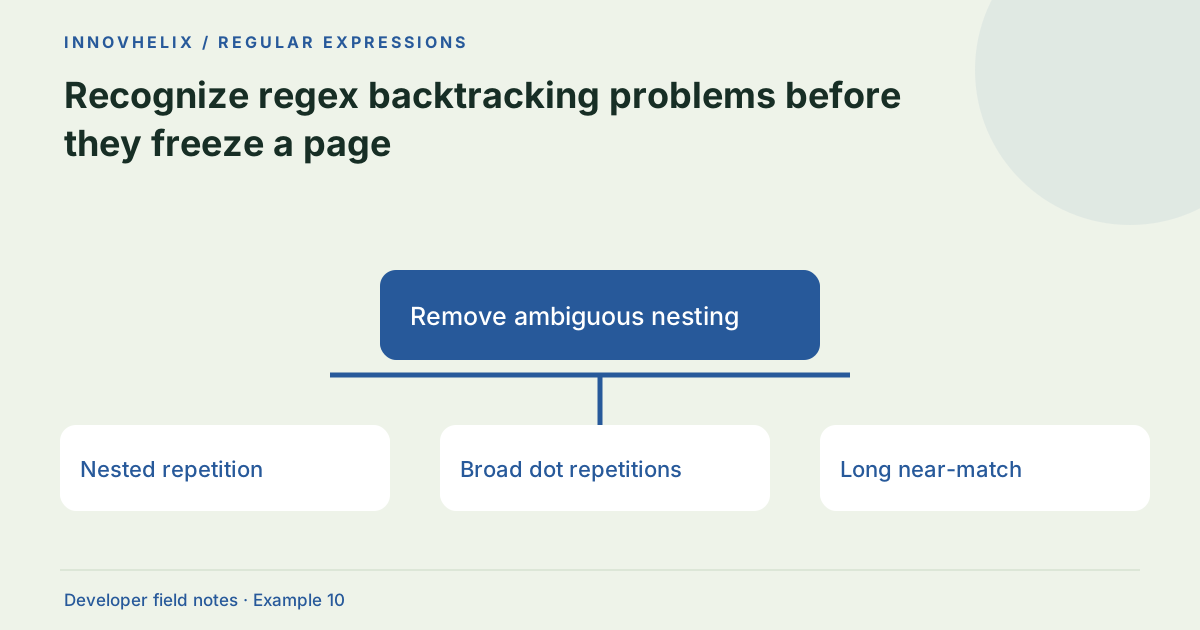
A regex that finishes instantly on a short successful input can become extremely slow on a longer near-match. Backtracking engines may explore many ways to divide the same characters between overlapping quantifiers. The goal is not to ban regular expressions; it is to make the input grammar clearer, bound the workload and test failure cases as carefully as successful ones.
Try the Regex Tester with the synthetic example below. Processing stays in your browser; the guide explains what the result can and cannot establish.
Worked example: remove ambiguous nesting
Use this exact sample to isolate the behavior discussed above. Keep the operation and options with the sample when reporting a result; changing the input representation can change what the test demonstrates.
Input or question
Pattern: ^(a+)+$
Near-match: aaaaaaaaaaaaaaaaaaaaaaaaaaaa!
Expected result or interpretation
For a simple a-only field, use ^a+$ and separately enforce a length limit.A delimiter exclusion can narrow the search
For a simple bracketed token with no closing bracket inside it, a pattern using \[.*\] may consume several adjacent blocks because dot-star is greedy. A class such as \[[^\]]*\] expresses that the content cannot contain the closing delimiter. Test "[one][two]" and inspect whether you get the intended individual blocks under g. This rewrite addresses a defined simple grammar, not arbitrary nested brackets. If nested blocks are valid, choose a parser rather than treating the excluded delimiter as a complete solution. Compare both accepted inputs and failure timing before adopting the change. Narrowing the grammar should preserve the requirement rather than merely making a benchmark faster.
Look for overlapping choices
Nested repetitions such as (a+)+ create many possible partitions of a run of a characters. A failure at the end forces the engine to revisit those choices. Similar problems occur with alternatives that overlap heavily. A suspicious pattern is not automatically exploitable in every context, but it deserves testing with a long input that almost matches and then fails near the end.
Rewrite around the actual grammar
If the field is simply a run of a characters, use a+ rather than repeated groups of repeated a characters. If you are scanning a delimited value, use a character class that excludes the delimiter rather than a broad dot repetition. Make the allowed structure explicit. Simpler patterns can improve both speed and correctness because they reduce ambiguity in what each repeated part may consume.
Bound inputs before executing
Limit subject length according to the application’s real requirements. A product code of at most 40 characters should not accept a megabyte of text before validation. Server and client checks should agree. Length limits do not prove a pattern is safe, but they limit the work available to the engine. Keep a separate limit for bulk log searches where legitimate inputs may be much larger.
Understand our worker timeout
The tester runs patterns in a dedicated Web Worker and terminates it after 750 milliseconds. That protects the page interface from prolonged worker execution; it does not establish a portable performance guarantee. Startup time and device speed affect results. A timeout means the test did not complete within the budget, not that the pattern is malicious or universally unusable.
Benchmark where the pattern will run
Test the actual engine, representative data sizes and both matching and non-matching inputs. Record the worst relevant case rather than one fast average. Some alternative engines provide different execution guarantees but support different syntax. If a problem is really parsing nested data, use a parser instead. Do not copy a browser-only rewrite into another language without checking its regex rules and flags.
Turn performance testing into a bounded investigation
Prepare two input families: successful matches and near-matches that fail at the end. Increase length in controlled steps and stop when the execution budget is exceeded. Record pattern, flags, browser and input length. Do not leave an unbounded test running in a main-thread production interface. The worker guard in this site is an interface protection measure, while the investigation should still find a simpler pattern or a better parser.
A timeout can be influenced by worker startup, device load and browser scheduling. Reproduce suspicious behavior in the actual deployment runtime rather than assigning a universal speed score from one tab. When rewriting the pattern, compare accepted and rejected inputs as well as timing. A faster expression is not a correct fix if it accidentally accepts delimiters, ignores suffixes or drops required alternatives. Add the long near-match to your regression suite with an appropriate workload limit. If the application accepts a large untrusted subject, review the broader processing budget too. A safe regex with an enormous number of matches can still consume memory during result collection. Our tester caps collection at 1,000 and reports that truncation; a production pipeline must choose its own limits based on its real task.
Verification cases
- Short valid a-only input: A fast success does not prove safe worst-case behavior.
- Long a-run followed by !: Exposes failure-path backtracking.
- More than 1,000 matches: Output is capped rather than collected without limit.
Decision reference
| Case | Meaning or choice | What to do with it |
|---|---|---|
| Nested repetition | Many possible partitions | Simplify the grammar |
| Broad dot repetitions | Can cross unwanted delimiters | Use excluded-delimiter classes |
| Long near-match | Failure explores alternatives | Include adversarial fixtures |
| Timeout | Budget exceeded on this device | Investigate rather than assume success |
Before you use the result
- Test long failures as well as short successes.
- Remove unnecessary nested quantifiers.
- Bound subject length at the input boundary.
- Use a parser for nested structures.
Continue the workflow
What regex validation can—and cannot—prove addresses choose validation layers appropriately. Extract fields from simple logs without building a fragile parser addresses extract diagnostic fields from log lines.
Technical reference
Consult MDN browser API reference for the relevant underlying behavior or concept. Test the exact runtime used by your application when engine compatibility matters.
Corrections are welcome through Contact & feedback. Read our editorial policy for scope and limitations.