Extract fields from simple logs without building a fragile parser
Regex is useful for searching a known log format, especially when you need a quick list of order codes or status markers. It is much less reliable when the log format includes nested objects, escaped delimiters or freely structured messages. Start from a defined line grammar, extract only the diagnostic fields and move to a parser when the format requires it.
Try the Regex Tester with the synthetic example below. Processing stays in your browser; the guide explains what the result can and cannot establish.
Worked example: order field extraction
Use this exact sample to isolate the behavior discussed above. Keep the operation and options with the sample when reporting a result; changing the input representation can change what the test demonstrates.
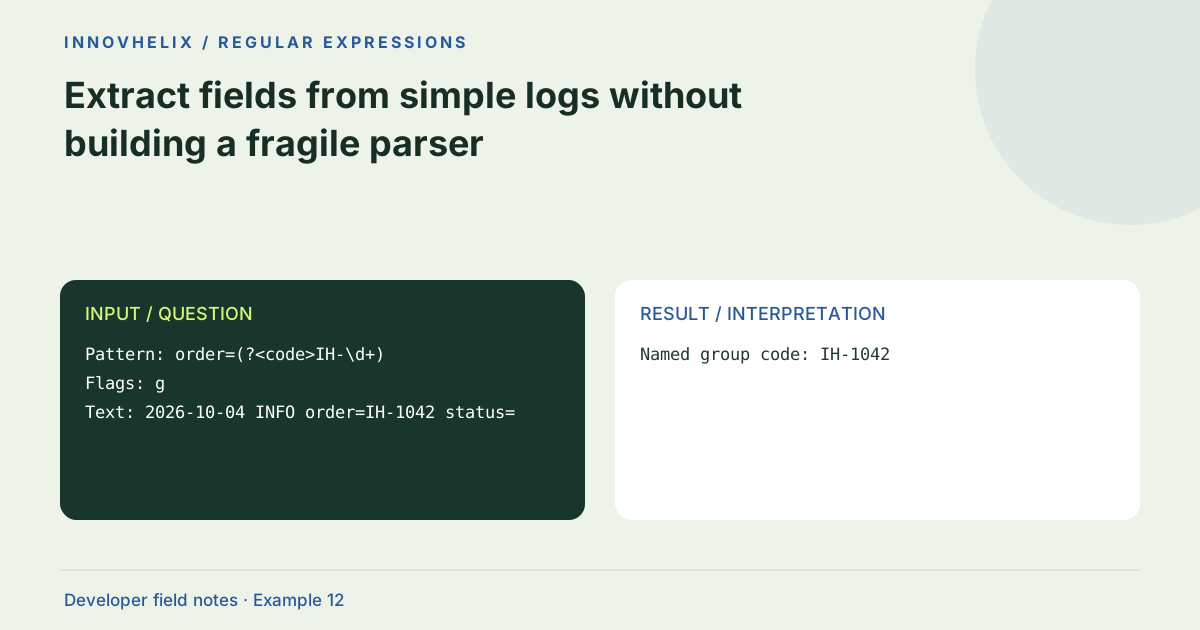
Input or question
Pattern: order=(?<code>IH-\d+)
Flags: g
Text: 2026-10-04 INFO order=IH-1042 status=shipped
Expected result or interpretation
Named group code: IH-1042A repeated field needs a policy
Consider a synthetic line containing order=IH-1042 and later order=IH-1043. A global token search returns both, but your event format may allow only one order field. The regex result alone cannot decide whether the line is malformed, whether the first value wins or whether the later token belongs to free text. Define that policy in the log grammar and test it explicitly. If duplicate fields are a production possibility, parse the event format and report ambiguity rather than silently selecting a convenient match. Keep an unrelated message containing an order-like token in the fixture too, so extraction does not accidentally treat every mentioned code as the event’s authoritative order ID.
Write down the log grammar
Consider lines like "2026-10-04 INFO order=IH-1042 status=shipped". Decide whether field order is fixed, whether values can contain spaces and whether duplicate keys are possible. A regex can be precise only about rules you know. Use a documented sample from your own service, then replace customer data with synthetic values before sharing it in a browser tool or an issue report.
Extract a bounded token
For a simple order code, IH-\d+ with g finds candidates. Add a named group if the numeric suffix is needed downstream. If digits can occur after the identifier, enforce the format’s delimiter rather than accepting a partial prefix. Include adjacent punctuation and malformed examples in your fixture. A match reports syntax that resembles an ID; it does not verify that the order exists.
Use line anchors where line structure matters
For a fixed line prefix, combine ^ with m to inspect each line. Avoid making dot match an entire multiline log unless you deliberately need a bounded block. A missing delimiter can otherwise cause a broad pattern to consume several events. Test Windows and Unix line endings and record whether the application normalizes them before matching.
Prefer structured logs for long-term analysis
JSON Lines gives each event a separate JSON object and avoids many delimiter ambiguities. Parse each complete line as JSON, then query fields in ordinary code. Do not use regex to extract an object with arbitrary nested braces. During incident work, a quick pattern can help locate relevant lines; for ongoing ingestion, a structured parser provides clearer errors and type handling.
Limit and verify extracted results
The tester stops after 1,000 matches and reports that cap. It is intended for bounded investigations, not full production log processing. Check several extracted values against their original lines and count expected occurrences in the sample. If duplicates are important, do not deduplicate silently. Record a sanitized minimal sample and a pattern together so the next investigation starts from reproducible evidence.
Keep a parser escape hatch
Define the point at which the quick pattern is no longer the supported workflow. A fixed order= token may be suitable for regex, but freely quoted values, nested JSON or evolving field order may warrant structured parsing. Record that decision with the pattern so a helpful one-off investigation does not become an undocumented ingestion service. A log format change should trigger a fixture update rather than a sequence of increasingly broad wildcards.
Use a sample containing successful events, failures, an unrelated line and a malformed field. Count the expected extracted records manually, then compare the tester output. If a cap is reached, split the sample or use a local bulk-processing script rather than assuming the displayed count is complete. Preserve duplicates if repeated events matter to the investigation. Avoid copying timestamps, account IDs and tokens from production wholesale; retain only the structural characteristics necessary to reproduce the issue. If you later move to JSON Lines, validate each complete line independently and report malformed records with line context. That gives a clearer failure model than searching for arbitrary braces. The tool is useful for locating a small pattern in text, but a long-term log system should make parsing and error handling explicit.
Verification cases
- One documented order field: Extract one bounded token.
- Quoted value containing spaces: Check whether the grammar requires a parser.
- Nested JSON log record: Parse structure; do not match arbitrary braces.
Decision reference
| Case | Meaning or choice | What to do with it |
|---|---|---|
| Fixed tokens | Regex search | Use explicit delimiters |
| Nested JSON event | JSON parser | Do not match braces recursively |
| Thousands of events | Local script/log platform | Browser tester has a match cap |
| Quoted values | Format-aware parser | Spaces and escapes change the grammar |
Before you use the result
- Define the line format before writing a pattern.
- Redact tokens and personal data in samples.
- Test malformed and reordered fields.
- Use a parser for structured events.
Continue the workflow
Capture groups, named groups and non-capturing groups addresses extract structured fields using regex. Recognize regex backtracking problems before they freeze a page addresses diagnose slow regular expressions.
Technical reference
Consult MDN browser API reference for the relevant underlying behavior or concept. Test the exact runtime used by your application when engine compatibility matters.
Corrections are welcome through Contact & feedback. Read our editorial policy for scope and limitations.