What regex validation can—and cannot—prove
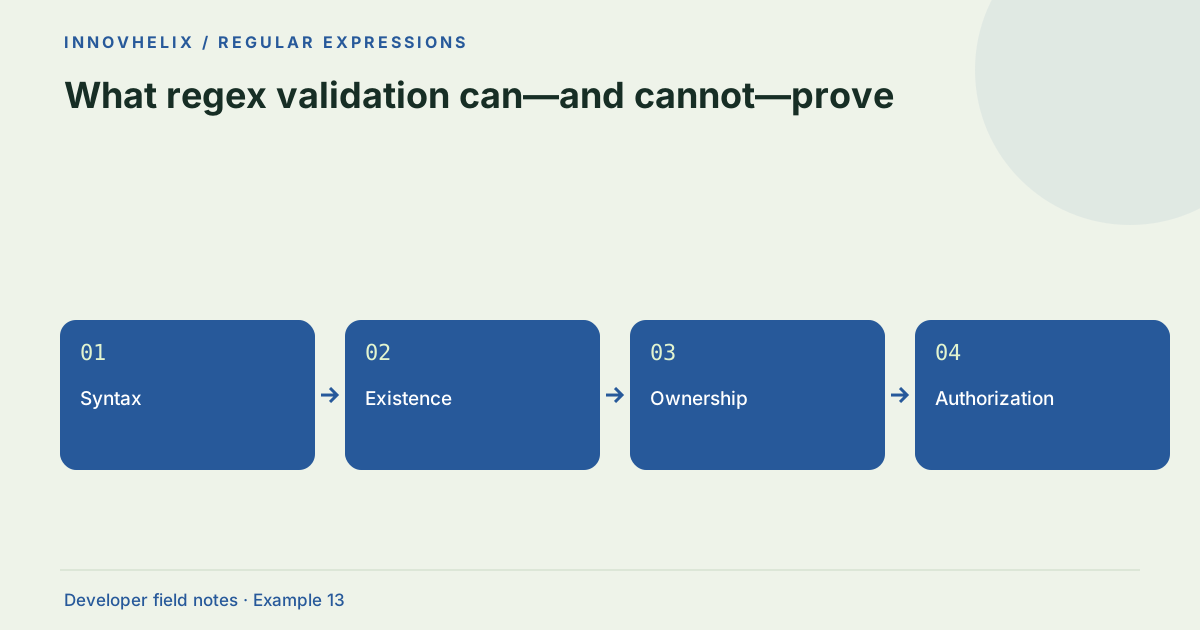
A matching pattern proves that text satisfies that pattern in the selected engine. It does not prove ownership, existence, deliverability or authorization. Good validation uses regex for a narrow syntax task and other checks for facts outside the string. This distinction prevents a neatly formatted value from being mistaken for a trustworthy value.
Try the Regex Tester with the synthetic example below. Processing stays in your browser; the guide explains what the result can and cannot establish.
Worked example: shape vs authority
Use this exact sample to isolate the behavior discussed above. Keep the operation and options with the sample when reporting a result; changing the input representation can change what the test demonstrates.
Input or question
Pattern: ^IH-\d+$
Text: IH-999999
Expected result or interpretation
Pattern match: yes
Record existence: unknown
Permission to access record: unknown
A syntax pass can still require rejection
An order ID can satisfy the accepted prefix and digit grammar, exist in the database and still belong to another user. Those are three separate checks. The UI may report the string’s format as acceptable while the authoritative operation denies access. Do not interpret that denial as evidence that the regex failed. In tests, use two synthetic users and records with explicit ownership. Verify that changing only the ID cannot bypass permission checks. Keep user-facing error handling aligned with the application’s disclosure policy. A browser pattern tester is useful for the first check; it has no record database or user identity and deliberately makes no claim about the remaining checks.
Separate shape from existence
A product code can match ^IH-\d+$ and still refer to no record. An email-like string can have a plausible shape and an undeliverable mailbox. A URL can parse successfully and point to an unavailable resource. Decide which question each validation layer answers. Syntax checks improve feedback, while authoritative lookups and application rules determine whether an operation should proceed.
Avoid universal patterns for complex standards
Some formats have specifications with many exceptions, encodings and context-dependent rules. A short regex often enforces a deliberately narrower application policy, which is acceptable if documented. It should not be described as complete standards compliance. Use a maintained parser or validation library when a format’s full grammar matters, and test that dependency against the subset your application accepts.
Treat client-side checks as assistance
Browser validation helps users correct obvious mistakes before a request. It is not a security boundary because clients can bypass it. A server or authoritative processing system must repeat the necessary checks. Keep user feedback specific: “Use IH followed by a hyphen and digits” is more actionable than “Invalid value.” Avoid exposing sensitive internal rules or identifiers in error messages.
Define normalization before acceptance
Trimming, case folding and Unicode normalization can make form input more forgiving, but each changes the value being tested. For an exact token, those transformations may be wrong. Specify the accepted alphabet, length and normalization policy, then test the normalized value if that is the intended contract. Save the original only when your product has a clear reason and appropriate data handling.
Build a validation matrix
Write examples that should pass and examples that should fail, including empty input, leading whitespace, extra suffixes and very long near-matches. Add a separate column for facts that require an external check. That matrix clarifies what the regex is responsible for and prevents it from accumulating business logic. Our local tester can verify pattern behavior; it does not contact external services or confirm real-world records.
Describe the accepted subset in user-facing language
A form can intentionally accept a narrower syntax than a complete standard. That is reasonable when the policy is documented and users receive an actionable explanation. For an internal order code, specify prefix, digit count and whitespace handling. For a complex external address or URL, use an appropriate parser and say what additional verification remains. Do not label a convenient shape test as universal correctness.
Connect each failure message to a repair the user can make. Syntax errors can be fixed by editing the string; missing records, ownership and permission require different actions. Mixing them into one message obscures the cause and can disclose information unnecessarily. Client-side feedback should reduce friction, while the authoritative system must enforce required rules regardless of the browser result. Test that bypassing the client does not bypass those rules. Keep a matrix of accepted strings and separately verified facts in the application tests. This also makes future policy changes reviewable: if a prefix is added, update the accepted subset without pretending that database existence or access rights were changed by the regex. The distinction between string inspection and external truth should survive every refactor of the form.
Verification cases
- Matching synthetic order ID: Shape passes; existence remains unknown.
- Known record with unauthorized user: Existence is not permission.
- Client validation bypassed: Authoritative validation still applies.
Decision reference
| Case | Meaning or choice | What to do with it |
|---|---|---|
| Syntax | Regex or parser | Does the string have an accepted shape? |
| Existence | Authoritative lookup | Does the referenced record exist? |
| Ownership | Verification workflow | Does the user control the address/account? |
| Authorization | Access policy | May this user perform this operation? |
Before you use the result
- Give every validation layer one clear question.
- Test boundary and adversarial inputs.
- Repeat essential checks in the authoritative system.
- Do not label a syntax match as verification.
Continue the workflow
Regex anchors and word boundaries: search vs full validation addresses prevent partial regex matches. Recognize regex backtracking problems before they freeze a page addresses diagnose slow regular expressions.
Technical reference
Consult MDN browser API reference for the relevant underlying behavior or concept. Test the exact runtime used by your application when engine compatibility matters.
Corrections are welcome through Contact & feedback. Read our editorial policy for scope and limitations.