JavaScript regex flags explained through observable examples
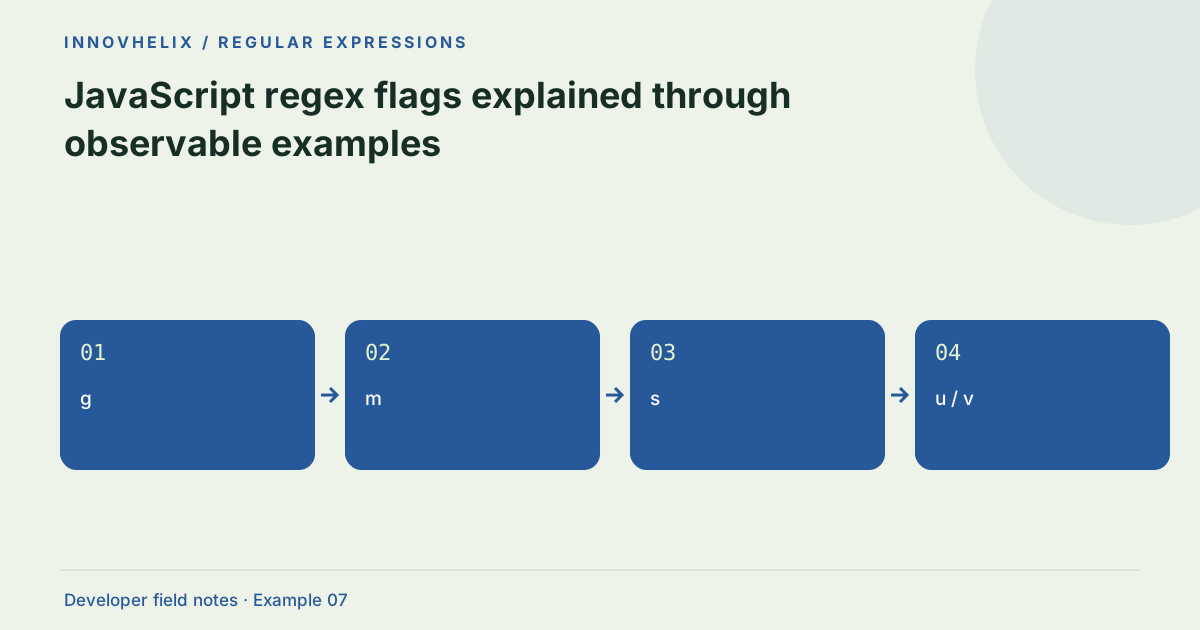
A regular expression is not fully described by its pattern. Flags change how it treats case, line boundaries, Unicode and repeated matches. A pattern copied from another environment can behave differently when flags or engine semantics differ. Start from the observable result you want, then select only the flags needed to get it.
Try the Regex Tester with the synthetic example below. Processing stays in your browser; the guide explains what the result can and cannot establish.
Decision reference
| Case | Meaning or choice | What to do with it |
|---|---|---|
| g | Iterate matches | Stateful lastIndex in reusable regexes |
| m | Line-aware anchors | Does not change dot |
| s | Dot includes line terminators | Can widen a greedy match |
| u / v | Unicode modes | Cannot combine u and v |
Global matching changes iteration
Without g, our tester reports the first match. With g, it continues through the input and records each match until the safety cap. Global regular expressions also maintain lastIndex when reused through exec or test in JavaScript code. That state can surprise you if the same regex object is used across multiple strings. Reset lastIndex or construct a fresh object when the workflow expects independent tests.
Case and line boundaries are separate
The i flag makes matching case-insensitive under the engine’s rules. It does not ignore accents or transliterate text. The m flag changes where ^ and $ may match around line boundaries; it does not make dot consume newlines. If a pattern needs to inspect each log line, multiline anchors can help. Keep a fixture with both an interior line and the first line so the difference is visible.
Dot-all controls the dot token
The s flag allows dot to match line terminators. This is useful for an explicitly bounded multiline region, but a broad greedy .* can then span more input than intended. Specify delimiters or character classes where possible. A pattern that worked on one line may become dangerously permissive when dot-all is added. Test a sample containing two candidate blocks, not only a single happy-path block.
Unicode affects character handling
The u flag enables Unicode-aware behavior, including code-point escapes and different handling of surrogate pairs. Match indices are still UTF-16 code-unit offsets in JavaScript. The v flag provides additional Unicode set capabilities in engines that support it and cannot be combined with u. Our interface lets you type flags, but unsupported flags are rejected by your browser rather than silently emulated.
Sticky and indices need care
The y flag matches at lastIndex instead of searching forward for the next candidate. This is useful for tokenization but surprising for ordinary search. The d flag asks supporting engines to provide indices; the tester currently displays its own start index and captures, not the full indices array. Flags cannot be repeated, and arbitrary letters are invalid. Keep engine compatibility in your test plan when sharing a pattern.
Use a flag matrix instead of guessing
Run the same subject with one flag change at a time. For case behavior, use a mixed-case token. For line anchors, place the candidate on an interior line. For dot-all behavior, put a newline between two delimiters. Keep the expected output beside each pattern and flag combination. That matrix shows exactly what the flag contributes and prevents a copied pattern from losing its intended mode.
In application code, include a test for repeated calls on the same regex object if it has g or y. A first call can update lastIndex and change the next result even with the same subject. That is a stateful object behavior, not a random browser defect. Decide whether each call should be independent or continue scanning, then implement that choice explicitly. Our tester creates a fresh regex for each run, so it does not simulate every possible reuse pattern in your program. For newer flags, test the deployment runtime as well as your development browser; a successful local constructor is not a compatibility guarantee for older clients. Document unsupported features and use a deliberate fallback only when it preserves the required semantics. Removing an unsupported flag silently can make a pattern appear compatible while changing its accepted matches.
Verification cases
- Two codes, no g: Only the first match is reported here.
- Interior-line anchor with m: Line boundary behavior becomes visible.
- Repeated flag gg: Constructor rejects the invalid flag string.
Worked example: global order search
Use this exact sample to isolate the behavior discussed above. Keep the operation and options with the sample when reporting a result; changing the input representation can change what the test demonstrates.
Input or question
Pattern: IH-\d+
Flags: g
Text: IH-1042 then IH-1043
Expected result or interpretation
Matches: IH-1042 at 0; IH-1043 at 13A reused global regex can alternate results
In JavaScript code, create const r = /a/g and call r.test("a") twice. The first call returns true and leaves lastIndex at 1; the second starts there and fails, resetting the index. A third call can succeed again. This is expected stateful behavior. If the task is independent validation, use a non-global expression or reset the index before each check. If the task is scanning, retain the state deliberately. Our tester constructs a fresh expression for every Run, so its consistent first result does not disprove a reuse bug in your application. Reproduce the actual call sequence in the application test.
Before you use the result
- Keep flags alongside the pattern in documentation.
- Test a multiline fixture explicitly.
- Use g when all matches are intended.
- Verify flags in the deployment engine.
Continue the workflow
Regex anchors and word boundaries: search vs full validation addresses prevent partial regex matches. Unicode regex matches and JavaScript UTF-16 indices addresses interpret regex offsets in unicode text.
Technical reference
Consult MDN browser API reference for the relevant underlying behavior or concept. Test the exact runtime used by your application when engine compatibility matters.
Corrections are welcome through Contact & feedback. Read our editorial policy for scope and limitations.